
This video is hosted by YouTube. It loads only when you press play, and YouTube may then set cookies. Watch on YouTube
The Question That Scares Every Beginner
I get this question a lot.
"Why should I learn coding when AI can write code for me?"
"Can't ChatGPT just generate my Arduino sketches?"
"Do I really need to learn C++ for robotics?"
Fair questions.
AI is getting scary good. GitHub Copilot finishes your sentences. ChatGPT writes working Python scripts. Claude debugs your errors.
So why bother learning Robotics Coding?
Let me tell you a story.
10th Grade: The Year I Fell in Love with Code - Robotics Coding
I was 15. My school had a basic computer lab. Old machines. Slow internet.
One day, a friend showed me how to make a website with HTML.
Just a few tags. <h1>Hello</h1>. That's it.
I was hooked.
I learned HTML. Then CSS. Then JavaScript. Then PHP. Then MySQL.
I built a simple blogging system from scratch. No frameworks. YouTube tutorials, PHP manual, and Stack Overflow.
Did I know what I was doing? Not really.
Did I understand algorithms? No.
Data structures? What's that?
But I was building things. And that feeling of making something work? Unbeatable.
That year, I learned that code is just a tool. The real skill is thinking like a programmer.

The Python Years: My First "Real" Language - Robotics Coding
After web development, I discovered Python.
Beautiful. Readable. Forgiving.
I built:
Websites with Django
Automation scripts
A simple game
Data visualizations
Python was easy. Too easy, maybe.
I could do things without understanding how they worked. Import a library. Call a function. Done.
But something was missing.
I didn't understand why things worked. I just knew that they worked.

University: C and C++ Humbled Me - Robotics Coding
Then came BUET.
Second semester. Course: Programming Fundamentals.
Language: C.
No list.append(). No dictionaries. No requests.get().
Just pointers. Memory allocation. malloc. free. Segmentation faults.
I struggled. Hard.
Why do I need to manage memory manually? Why can't I just use Python?
Then came C++.
Classes. Objects. Inheritance. Polymorphism. Templates.
My brain hurt.
But slowly, something clicked.
I understood what list.append() actually does behind the scenes. I understood why Python is slow for certain things. I understood memory, pointers, references.
I understood how computers actually work.
That knowledge changed everything.

The AI Revolution: What Changed - Robotics Coding
Now, I use GitHub Copilot every day.
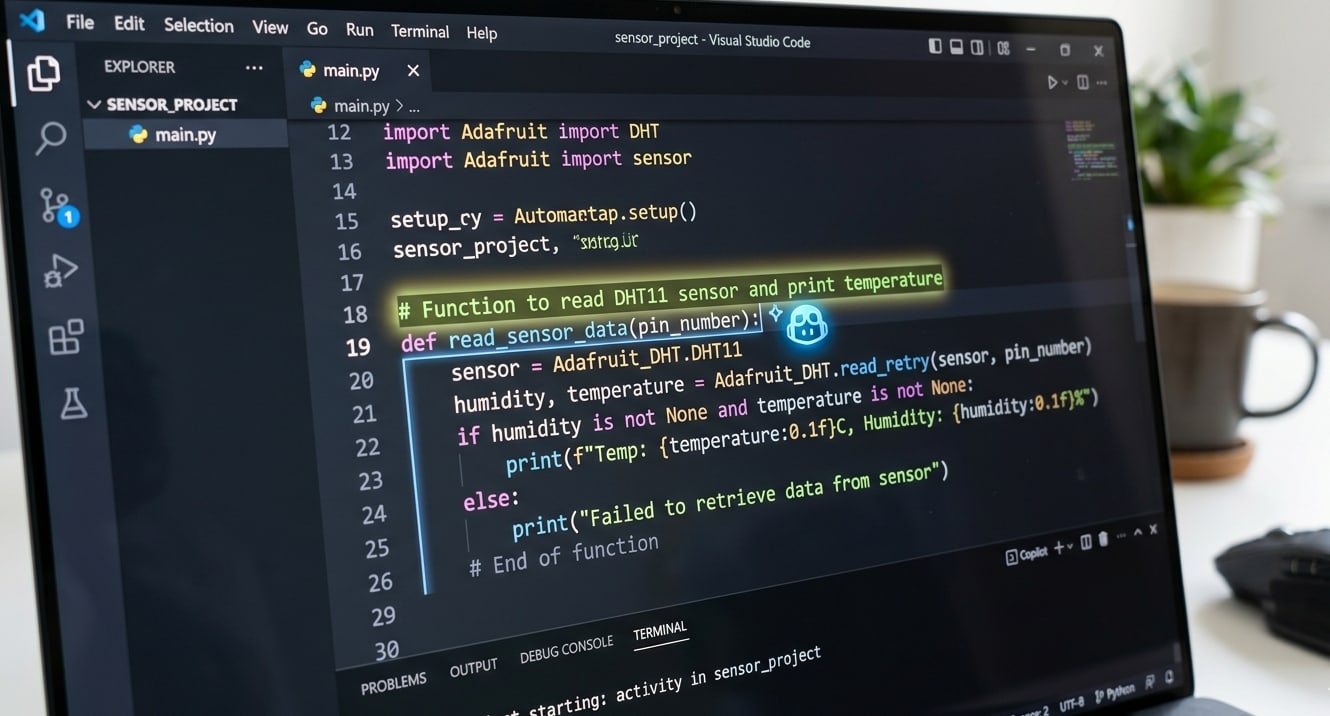
I type a comment: // Function to read DHT11 sensor and print temperature
Copilot writes the whole function.
I press Tab. Done.
I use ChatGPT to debug errors I can't figure out.
I use Claude to explain complex concepts.
AI is incredibly useful.
But here's the catch.
When Copilot generates code, I understand every line. I know why it's there. I can modify it. I can debug it. I can improve it.
My friend, who started coding with ChatGPT, doesn't.
When AI gives him code, he pastes it. If it works, great. If it doesn't? He's stuck.
He doesn't know what a for loop actually does. He doesn't know why we use int vs float. He doesn't know how to debug a segmentation fault.
AI gave him the fish. But he never learned to fish.

The Truth: AI is a Tool, Not a Replacement - Robotics Coding
Here's what AI can do today:
| Task | AI Capability |
|---|---|
| Generate boilerplate code | ✅ Excellent |
| Explain concepts | ✅ Very good |
| Debug simple errors | ✅ Good |
| Write documentation | ✅ Excellent |
| Optimize algorithms | ⚠️ Sometimes |
| Design system architecture | ❌ Poor |
| Understand project requirements | ❌ Poor |
| Debug complex hardware issues | ❌ Useless |
Here's what AI cannot do:
Understand your specific hardware setup
Debug why your ESP32 keeps rebooting (power issue? code issue? wiring issue?)
Design a robot that fits your mechanical constraints
Know when to use a sensor vs a different approach
Understand the trade-offs between speed, memory, and power
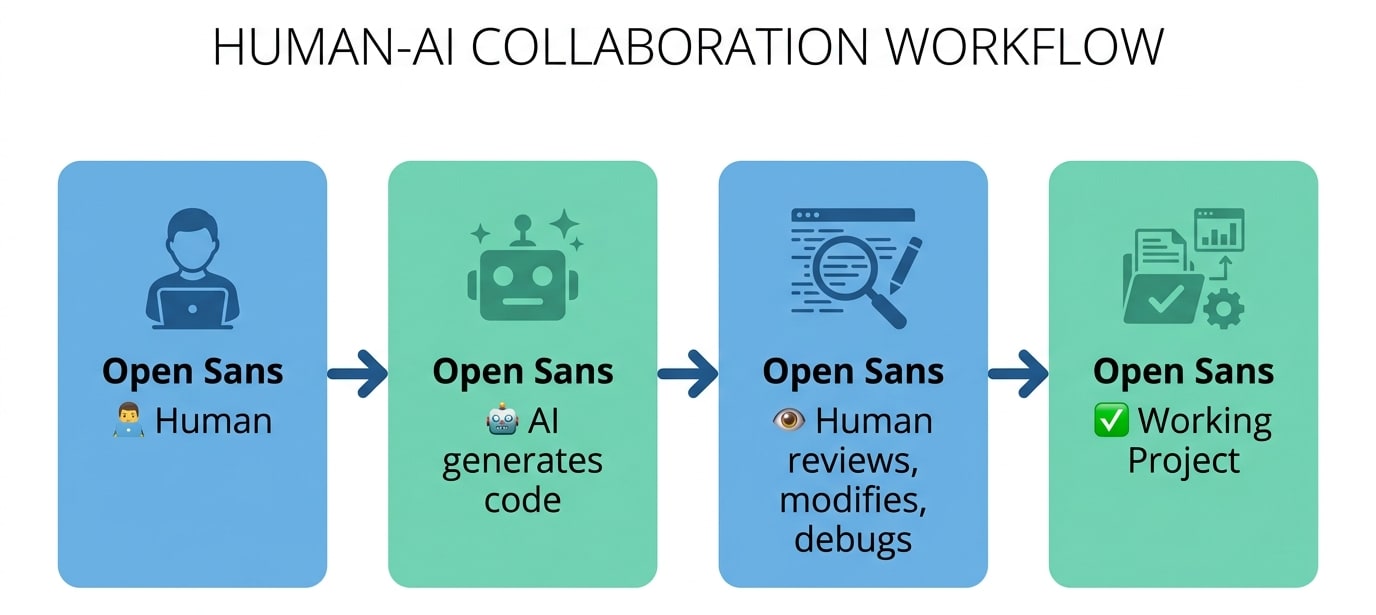
AI is a junior developer on autopilot. You still need to be the senior engineer.
My Recommended Learning Path - Robotics Coding
Based on my journey, here's what I suggest:
Step 1: Learn Algorithms and Data Structures (2-3 months) - Robotics Coding
Don't skip this. It's the foundation.
| Topic | Why It Matters |
|---|---|
| Arrays, Linked Lists | How data is stored |
| Stacks, Queues | Managing flow |
| Trees, Graphs | Complex relationships |
| Sorting, Searching | Organizing data |
| Recursion | Problem-solving technique |
Resources:
CS50 (Harvard's free online course) – the gold standard
"Grokking Algorithms" by Aditya Bhargava (visual, beginner-friendly)
freeCodeCamp's Data Structures course
Don't just watch videos. Implement everything yourself.
Step 2: Learn Python (1-2 months) - Robotics Coding
Python is the best first language for robotics and AI.
| Why Python | |
|---|---|
| Easy to read and write | Yes |
| Huge robotics libraries | OpenCV, TensorFlow, ROS |
| Great for prototyping | Yes |
| Used in AI/ML | Yes |
Topics to cover:
Variables, loops, conditionals
Functions, classes, modules
Lists, dictionaries, tuples
File I/O, exception handling
Basic libraries: numpy, matplotlib
Resources:
Core Python by Programming with Mosh (YouTube)
Python Crash Course by Eric Matthes
RealPython.com tutorials
Step 3: Learn C and C++ (2-3 months) -Robotics Coding
This is where you understand how computers actually work.
| Why C/C++ | |
|---|---|
| Understand memory | Pointers, stack vs heap |
| Performance | Real-time robotics needs speed |
| Arduino/ESP32 | Most embedded systems use C++ |
| Control | Full control over hardware |
Topics to cover:
Pointers and references
Memory allocation (malloc, free, new, delete)
Structs and classes
Inheritance and polymorphism
Templates
How arrays actually work
Resources:
learncpp.com (free, excellent)
The Cherno's C++ series on YouTube
"Effective Modern C++" by Scott Meyers
Step 4: Apply to Arduino/ESP32 (1 month) - Robotics Coding
Now you build things.
| Project | What You Learn |
|---|---|
| Blink LED | Setup, loop, digital output |
| Button input | Digital input, pull-up/pull-down |
| PWM LED dimming | Analog output |
| Sensor reading | ADC, analog sensors |
| Motor control | PWM, H-bridges |
| Serial communication | Debugging, data transfer |
No AI yet. Write the code yourself.
Step 5: Learn to Use AI as a Tool (Ongoing) - Robotics Coding
Once you understand the basics, bring in AI.
How to use AI effectively:
| Do This | Avoid This |
|---|---|
| Ask AI to explain concepts you don't understand | Ask AI to write code you don't understand |
| Use AI to generate boilerplate | Copy-paste without reading |
| Ask AI to debug your code after you tried | Ask AI before trying yourself |
| Use AI to refactor and optimize | Trust AI blindly |
| Always review and test AI-generated code | Assume it's correct |
Tools to use:
GitHub Copilot (paid, student discount available)
ChatGPT (free tier works)
Claude (great for explanations)
Cursor (VS Code fork with AI built in)
The Natural Next Step: PlatformIO + VS Code + AI - Robotics Coding
Once you're comfortable with Arduino IDE, you'll quickly hit its limits.
Slow compilation times. No autocomplete. Basic interface. No AI integration.
The professional world uses better tools. And you should too.
Why PlatformIO Instead of Arduino IDE? - Robotics Coding
| Feature | Arduino IDE | PlatformIO (on VS Code) |
|---|---|---|
| Autocomplete / IntelliSense | ❌ None | ✅ Full code completion |
| AI code assistants (Copilot) | ❌ Not supported | ✅ Fully integrated |
| Compilation speed | ❌ Slow (full rebuild each time) | ✅ Faster (caches dependencies) |
| Library management | ❌ Manual ZIP install | ✅ One-click library search |
| Multi-file projects | ❌ Painful | ✅ Built-in folder structure |
| Git integration | ❌ None | ✅ Built-in version control |
| Port selection | ❌ Manual (always guessing COM port) | ✅ Auto-detects connected device |
| Project organization | ❌ Single file only | ✅ Professional folder structure |
The difference is massive. I've seen compilation times drop from over 30 minutes to just 1-2 minutes after switching to PlatformIO . That's time you can spend actually building things.
What is PlatformIO? - Robotics Coding
PlatformIO is not a separate IDE. It's a plugin that runs inside Visual Studio Code.
Think of it as a professional upgrade to your coding environment. You get:
IntelliSense: As you type, VS Code suggests functions, variables, and even shows you documentation. Arduino IDE gives you nothing.
Library Manager: Search for "DHT22", click install,
#include <DHT.h>in your code. No more hunting for ZIP files.Multiple Boards: Work with ESP32, Arduino, STM32, RP2040 – all in one place.
Debugging: Set breakpoints, inspect variables, step through code. Arduino IDE has nothing like this.
Setting up VS Code and PlatformIO to Control Servo Motors – Robotics for Beginners: Learn ESP32 PlatformIO with VS Code | Blink LED Tutorial

Level Up with GitHub Copilot (Free for Students) - Robotics Coding
Here's where things get exciting.
GitHub Copilot is an AI coding assistant that suggests entire lines or blocks of code as you type. It's like having a senior developer looking over your shoulder.
How it works:
You type a comment:// Function to read temperature from DHT11 sensor and print to Serial
Copilot suggests the entire function. You press Tab. Done.
Not just boilerplate – real, working code based on context.
Examples of what Copilot can do for ESP32 development:
| Task | How Copilot Helps |
|---|---|
| Writing setup functions | Suggests pinMode, Serial.begin, sensor initialization |
| Creating loop logic | Generates reading intervals, debounce patterns |
| Debugging | Explains errors and suggests fixes |
| Documentation | Writes comments explaining your own code |
The Student Discount (This is Important)
GitHub Copilot normally costs money. But if you're a student, you get it for free through the GitHub Student Developer Pack.
What you get with the Student Pack:
✅ GitHub Copilot Pro (free while you're a student)
✅ Access to dozens of other developer tools
✅ Valid for 2+ years (renewable)
Identifying resistor values – How To Read Resistor Color Codes (And Never Burn an LED Again) | 4 Easy Steps
What I Use AI For (And What I Don't) - Robotics Coding
I use AI for Robotics Coding:
Generating repetitive code (similar structs, switch cases)
Writing documentation strings
Explaining complex algorithms
Suggesting alternative approaches
Finding syntax errors
Translating between languages
I don't use AI for Robotics Coding:
Designing system architecture
Debugging hardware issues
Choosing components
Understanding project requirements
Making design trade-offs
Writing critical safety code
The Bottom Line - Robotics Coding
AI is not replacing programmers who understand the fundamentals.
AI is replacing programmers who only copy-paste from Stack Overflow.
Here's the truth:
| If you... | AI will... |
|---|---|
| Understand algorithms and data structures | Make you 10x more productive |
| Don't understand the basics | Make you helpless when it fails |
Learn the fundamentals first. Then use AI to accelerate.
You don't need to be a C++ expert. But you need to understand:
What a variable is
How memory works (at a basic level)
What a loop does
How functions work
The difference between stack and heap
What a pointer is (even if you mostly use references)
These concepts take time. They're not hard, but they're not instant.
And they're worth every minute.
Recommended Courses - Robotics Coding
If you're starting from zero, here's what I suggest:
| Course | Platform | Cost | Focus |
|---|---|---|---|
| CS50 | edX | Free | Computer science fundamentals |
| Python for Everybody | Coursera | Free audit | Python basics |
| Learn C++ | learncpp.com | Free | C++ from scratch |
| The Odin Project | theodinproject.com | Free | Full-stack (optional but good) |
For robotics specifically:
ROS Tutorials (robot operating system)
Arduino Project Hub (learn by doing)
ESP32 forums (real-world problems)
This video is hosted by YouTube. It loads only when you press play, and YouTube may then set cookies. Watch on YouTube
Your Turn - Robotics Coding
So here's my answer to the question:
Should you learn coding for robotics, aka Robotics Coding, or can AI do everything?
Learn. AI can write code. AI can explain concepts. AI can debug.
But AI cannot think for you. AI cannot design for you. AI cannot understand your specific hardware for you.
AI is a tool. You are the engineer.
Learn the fundamentals. Then use AI to build faster.
That's how you become a robotics developer. Not by replacing your brain with AI, but by augmenting it.
FAQs
Frequently Asked Questions
1. Can ChatGPT or GitHub Copilot completely replace learning to code for robotics? - Robotics Coding
No, absolutely not. AI tools like ChatGPT and Copilot are excellent assistants, but they cannot replace fundamental coding knowledge. Here's why: AI can generate code for common tasks like blinking an LED or reading a sensor. But robotics involves hardware-specific issues that AI cannot diagnose. When your robot's motor twitches, your sensor reads nonsense, or your ESP32 won't connect – AI cannot see your wiring, measure your voltages, or test your components. AI also lacks understanding of your specific hardware constraints. It doesn't know that your servo needs external power, that your battery is dying, or that your sensor is incompatible with 3.3V logic. These are things you learn by understanding electronics, not by asking AI. The developers who succeed are those who treat AI as a pair programmer, not a replacement for their own brain. Learn the fundamentals first. Then use AI to write boilerplate faster.
2. I'm a mechanical engineering student. Do I really need to learn coding for robotics? - Robotics Coding
Yes, and here's why. Modern robotics is the intersection of mechanics, electronics, and software. As a mechanical engineering student at BUET, you already understand gears, linkages, and stress calculations. That's valuable. But without code, your mechanical design is just a static structure. Code brings your design to life. It controls the motors, reads the sensors, and makes decisions. A well-designed robot with bad code performs poorly. A simple robot with good code can seem intelligent. You don't need to become a software engineer. But you do need to understand variables, loops, functions, and basic sensor integration. Start with C++ for Arduino/ESP32. Once you understand the basics, use AI to help with complex algorithms. The combination of mechanical intuition and coding fundamentals is extremely powerful in robotics competitions and real-world projects.
3. What's the minimum coding knowledge I need before using AI for robotics? - Robotics Coding
You need to understand these core concepts before relying on AI: First, variables and data types. Know the difference between an integer, a float, and a boolean. Understand why a sensor reading (0-4095) needs to be mapped to a servo angle (0-180). AI can write the map function, but you need to know when to use it. Second, control structures. Understand if-else statements for decision making. Understand for loops and while loops for repetition. AI can generate the syntax, but you need to know which structure fits your problem. Third, functions. Know how to break code into reusable pieces. Understand why you pass parameters and return values. AI can write the function body, but you need to design the function's purpose. Fourth, basic debugging. Know how to read error messages, use Serial.print() statements, and isolate problems. AI cannot see that you forgot to connect the ground wire. Once you understand these, AI becomes a powerful accelerator. Without them, you're blindly copying code you don't understand.
4. Will AI make learning to code obsolete by the time I graduate? - Robotics Coding
No. In fact, AI is making coding skills more valuable, not less. Here's the reality: When AI can write basic code, the demand for people who understand that code actually increases. Companies don't need "code typists" anymore. They need engineers who can design systems, debug problems, optimize performance, and integrate hardware and software. AI can generate a function to read a DHT22 sensor. But AI cannot design a weather station that meets specific requirements, choose the right components within a budget, troubleshoot why the sensor is returning "nan", or optimize the power consumption for battery operation. The engineers who thrive will be those who understand the fundamentals and use AI as a tool to work faster. Those who skip learning and rely solely on AI will find themselves stuck when the AI produces incorrect or incomplete code. Learn the fundamentals. The piece of paper (degree) matters less than what you can actually build.
5. What's the fastest way to learn coding for robotics as a complete beginner? - Robotics Coding
Here's a proven path that has worked for countless robotics beginners: First, spend 1-2 weeks learning basic C++ syntax. Focus on variables, loops, if-else statements, and functions. Use online platforms like W3Schools or freeCodeCamp. Don't overthink this step – you just need the basics. Second, buy an ESP32 starter kit ($30-40) and build the example projects. Start with blinking an LED. Then a button input. Then a potentiometer reading. Then a servo control. Each project teaches one new concept. Build them yourself – don't copy-paste. Third, after 5-10 small projects, challenge yourself to combine concepts. Build a project that reads a temperature sensor and turns on an LED when it's hot. Then add a display to show the temperature. Then add a buzzer for alarm. Fourth, only after you've built 5-10 projects from scratch, start using GitHub Copilot or ChatGPT. Use AI to generate boilerplate code for your next project, but read and understand every line before uploading. This path takes 4-6 weeks of consistent effort (1-2 hours daily). It's not instant, but it's effective. The key is building actual projects – not just watching tutorials.
Affiliate Disclosure
Some links in this post are affiliate links. If you purchase through them, I may earn a small commission at no extra cost to you. This helps support Roborear. Thanks!
Tags