
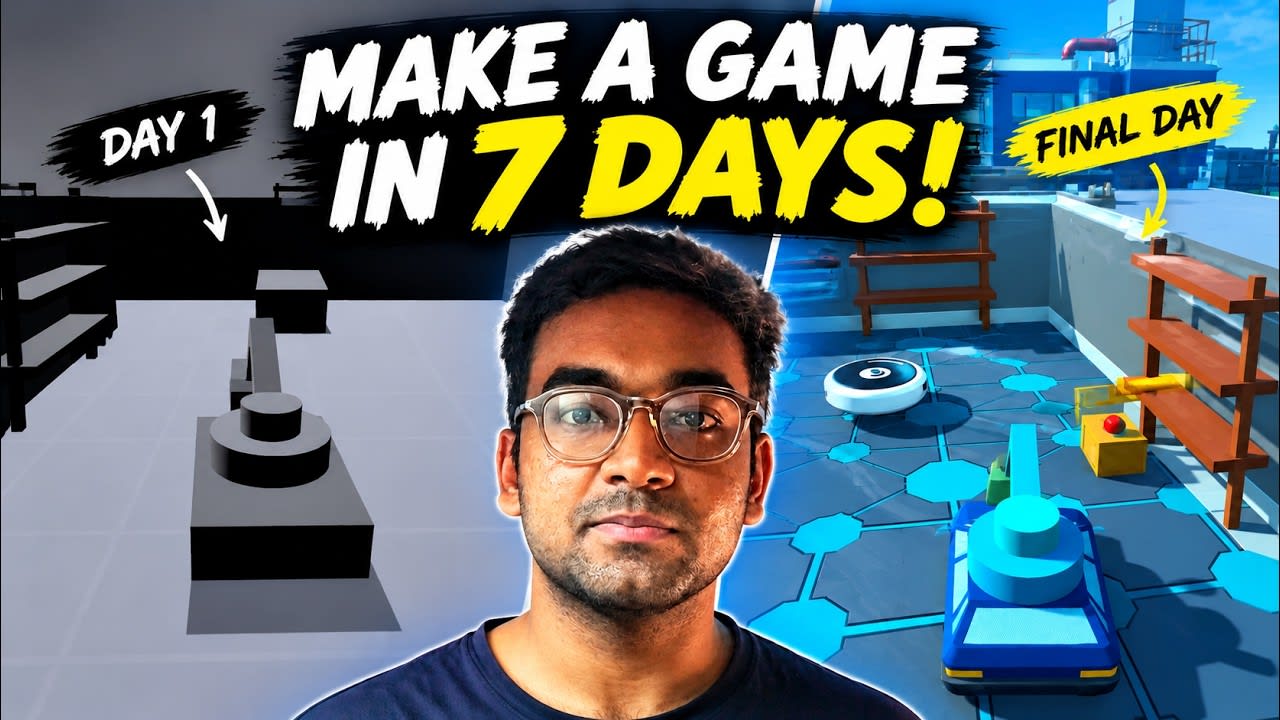
On the final mission, two of the three boxes were already safe. I had 31 seconds left. One more box and the game was finished, on camera, in our submission video.
A security robot saw me, and I didn’t get away in time. MISSION FAILED.
I lost at my own game. But seven days earlier there was no game to lose at. I had never made one in my life.
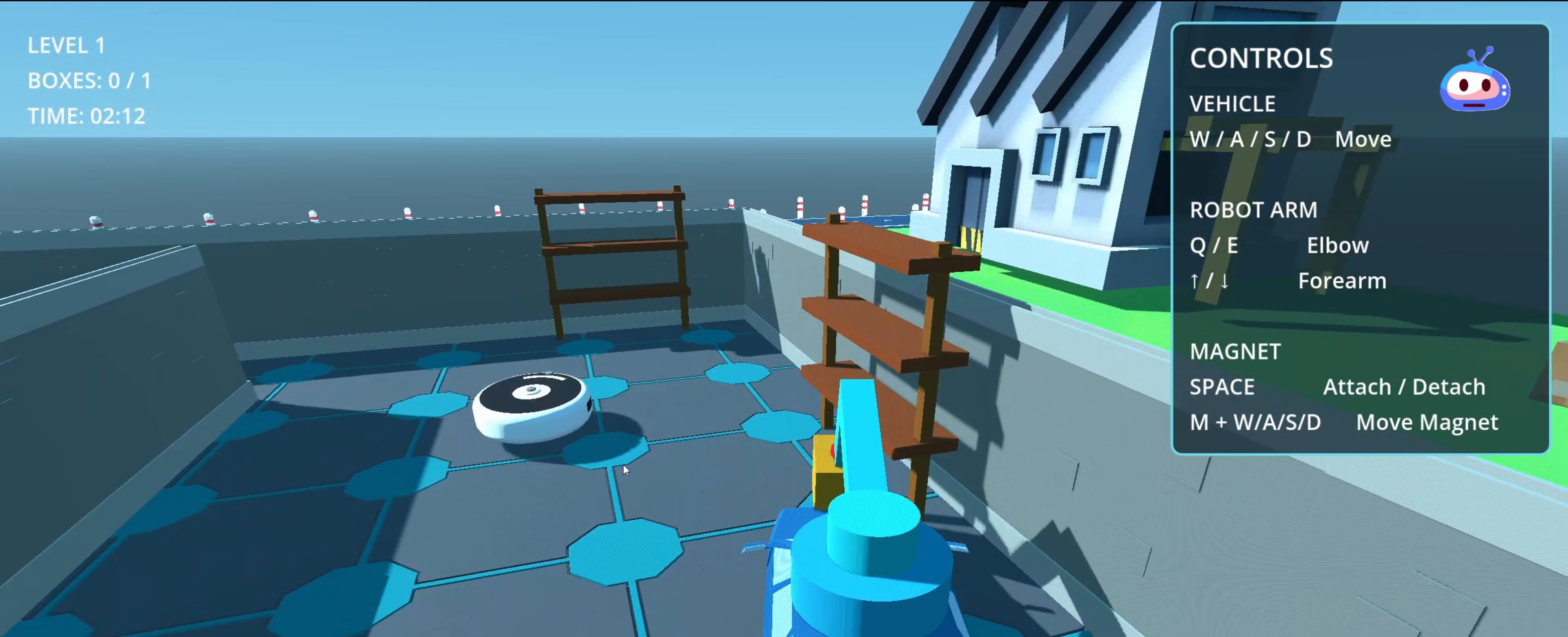
This is the story of Magnetic Freedom, a 3D robotics game that my team built for the Intra BUET Robo Challenge GameJam 2026. You’ll see what we had at the end of each day, the parts that broke, the code behind the magnet, and how we scored. I’ll also tell you what I would do differently.
Loads from YouTube when you press play, and YouTube may then set cookies. Watch on YouTube
The challenge: one week, one theme
The jam was organized by the BUET Robotics Society. The rules were simple and a bit scary:
The theme is revealed at midnight on 10 September. Nobody knows it before.
You have about one week to design, build, test and submit.
The game must run on Windows or in a browser.
All the work must be in a Git repository that starts after the theme is revealed.
The theme was Degrees of Freedom. For many people that sounds abstract. For robotics people it’s everyday language: a degree of freedom (DOF) is one independent way in which something can move.
So we didn’t make a game about freedom. We made a robot with degrees of freedom and gave you the controls. A car that drives and turns, an arm with two joints, and a magnet on the end that you can tilt. That’s the whole idea.
We were four people, Team Nuvola. Our tools were Godot 4, which is free and open source, and its scripting language, GDScript.
Day 2: a grey block that could lift a smaller grey block
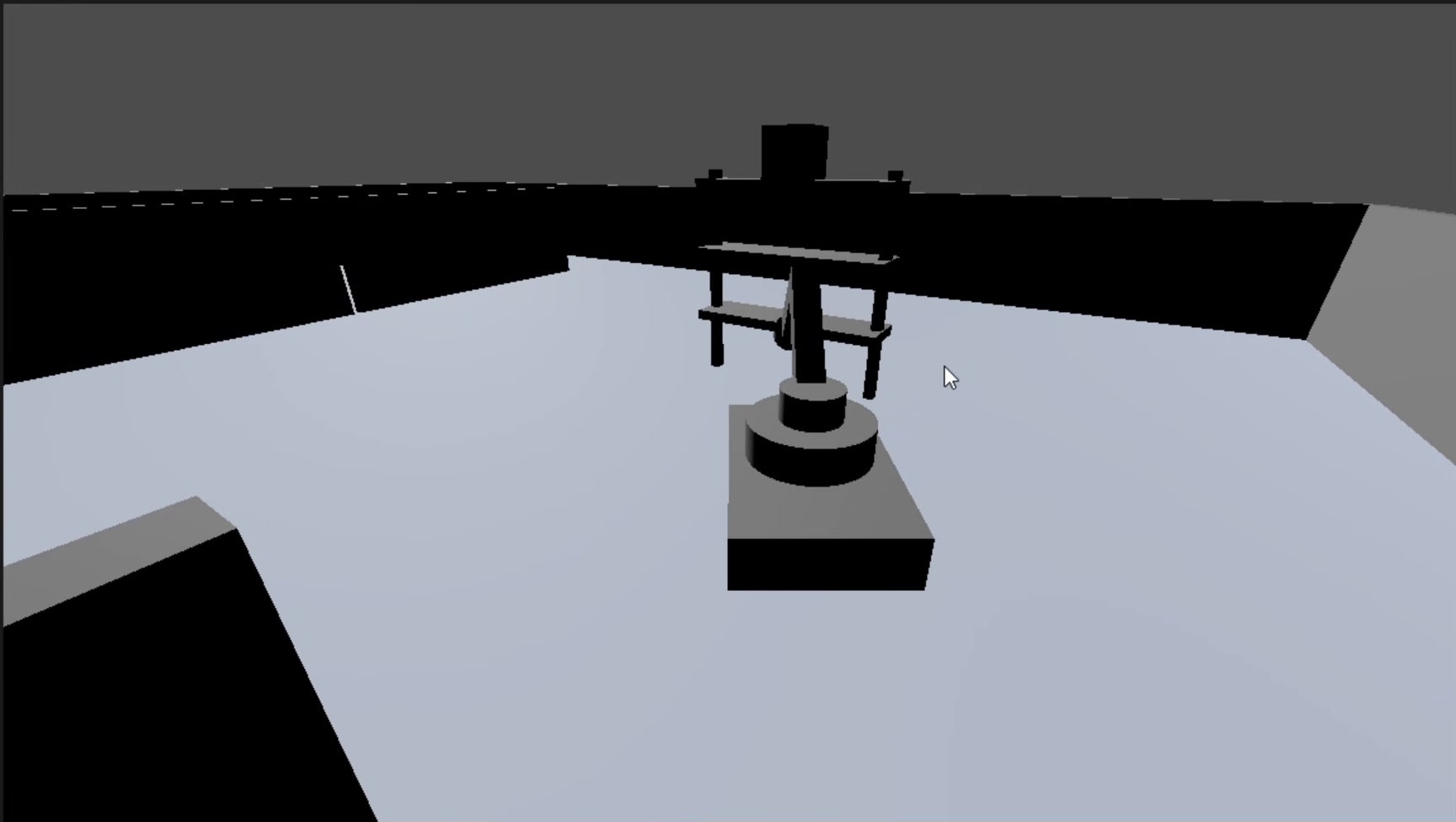
Day 1 went into the idea. By the morning of Day 2 we had something that moved: a box on a bigger box, with a stick as an arm, on an empty white floor.
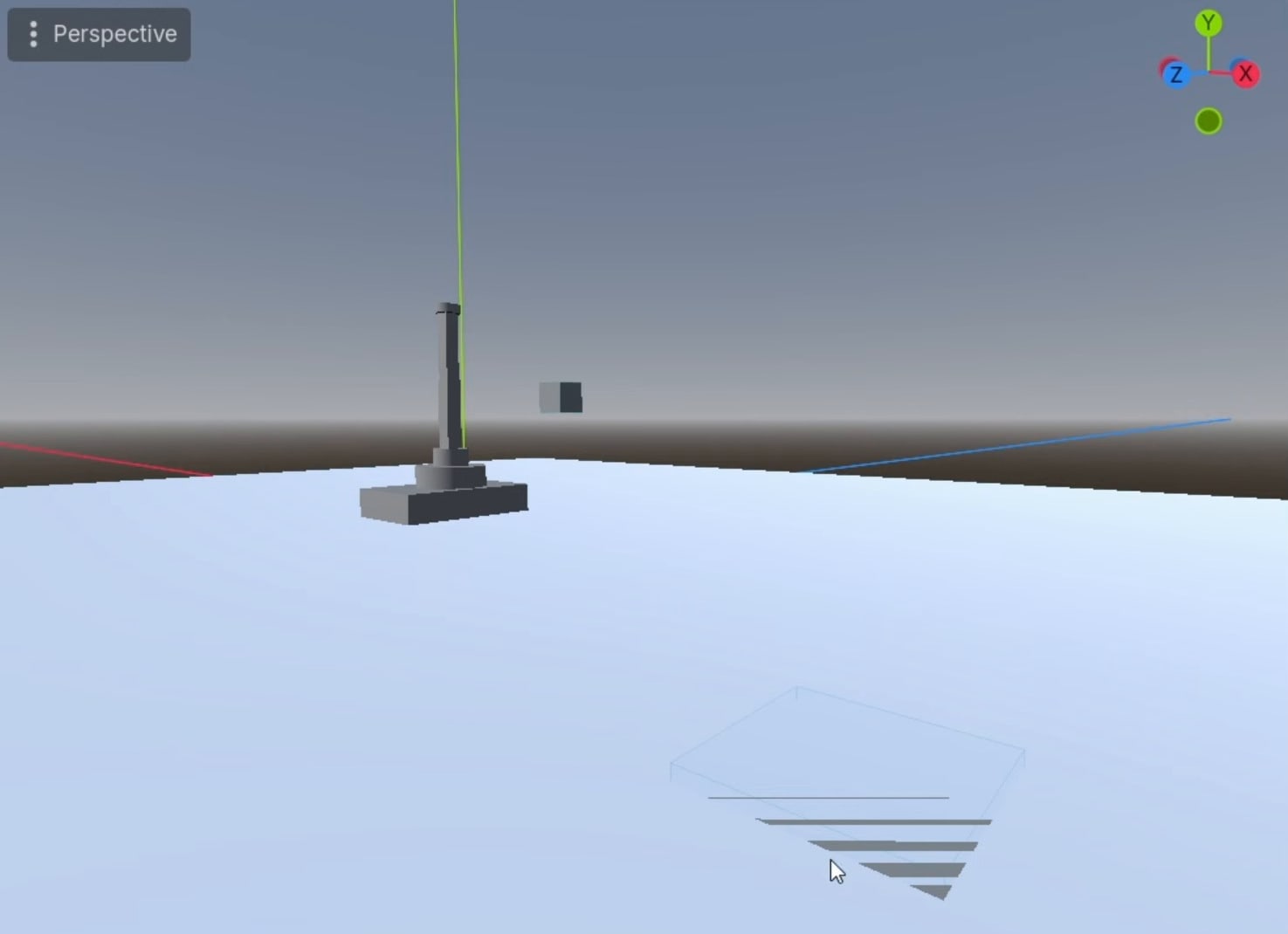
It looks like nothing. But you could drive to the box, lower the arm, press Space, carry the box and drop it on the target. The complete core of the game was already there. Everything after that was making it look better and making it harder.
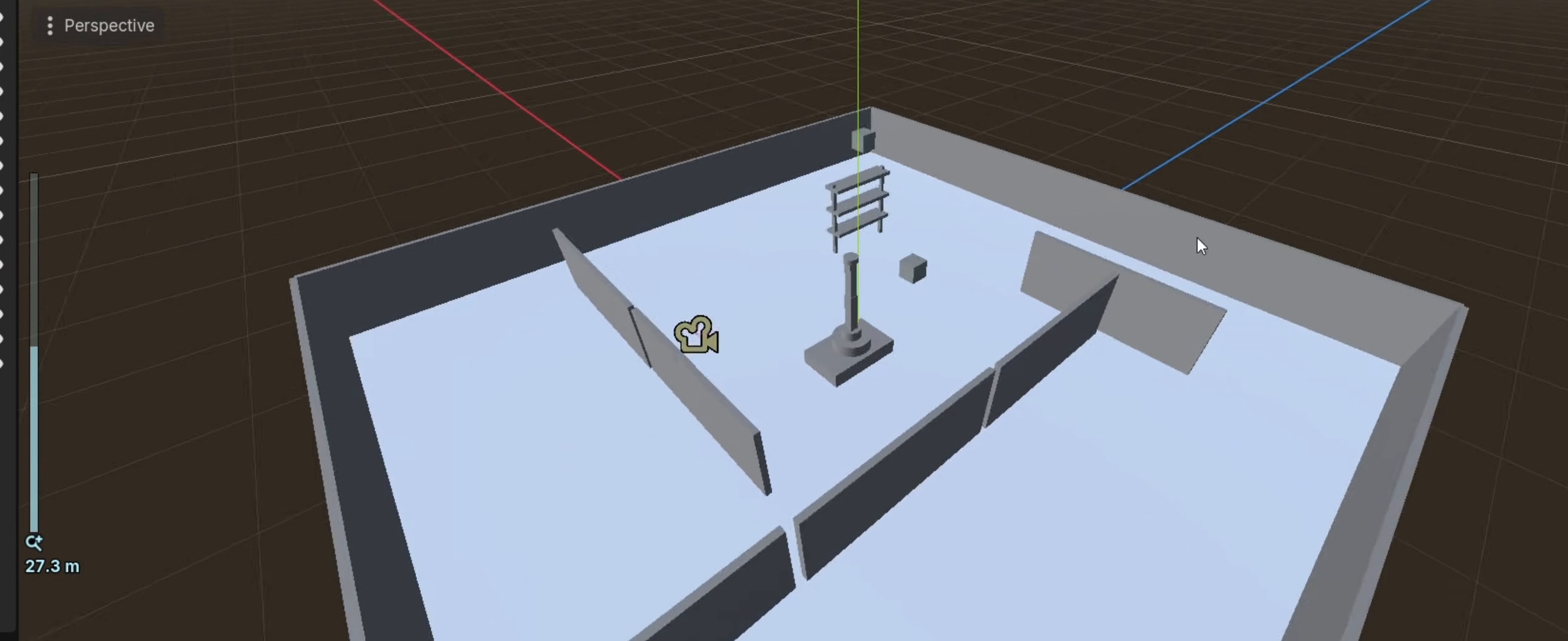
By night the robot had a home: walls, a shelf and a delivery zone. The camera now followed the car.
Then the physics started laughing at us
The first long test showed two ugly problems. The car could drive straight through the shelf, and the arm could pass through walls. In a game about moving carefully, that’s a serious problem.
I used the cheapest fix for the shelf: I planned to move it against the wall, where you can’t drive behind it. For the arm, the final code uses a neat trick. It moves the joint, checks if the arm now touches something, and if it does, it simply puts the joint back:
var old_rotation = arm.rotation_degrees.x

arm.rotation_degrees.x += arm_input * arm_speed * delta
arm.rotation_degrees.x = clamp(
    arm.rotation_degrees.x, arm_min_angle, arm_max_angle
)

# Touching something? Undo the move.
if arm_collision_detector.has_overlapping_bodies():
    arm.rotation_degrees.x = old_rotation
It’s not elegant. It’s a few lines, and it works. In a game jam that’s a beautiful combination.
That night I also had the idea that gave the game its character. Carrying boxes is work. Carrying boxes while somebody is looking for you is a game. I was thinking of stealth games like Hitman: go in, take the package, get out unseen.
Day 3: five levels, built at night
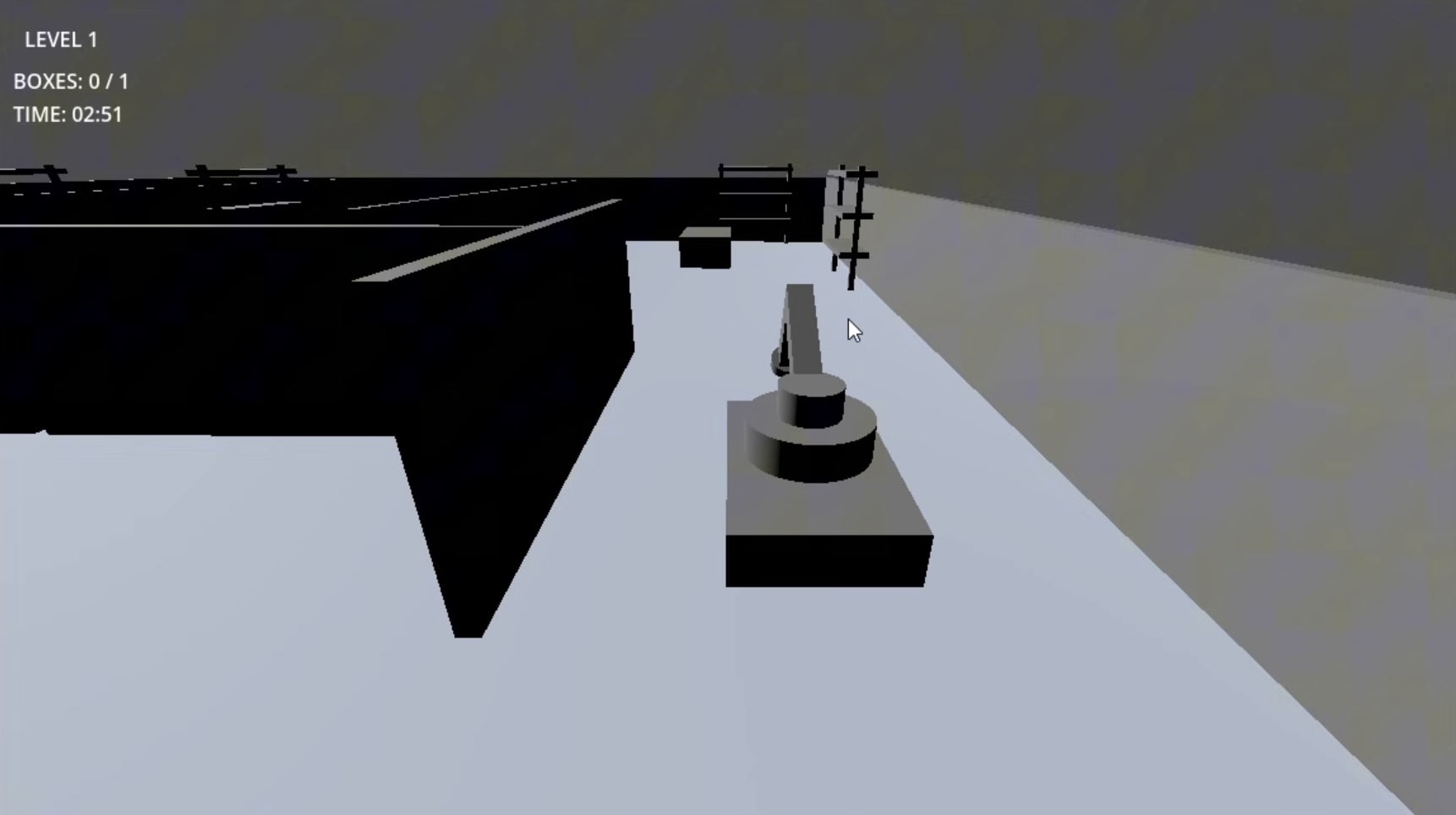
I had no time during the day, so Day 3 happened at night. Still, it was productive: the factory got separate rooms, and we added five levels, a timer and a box counter.
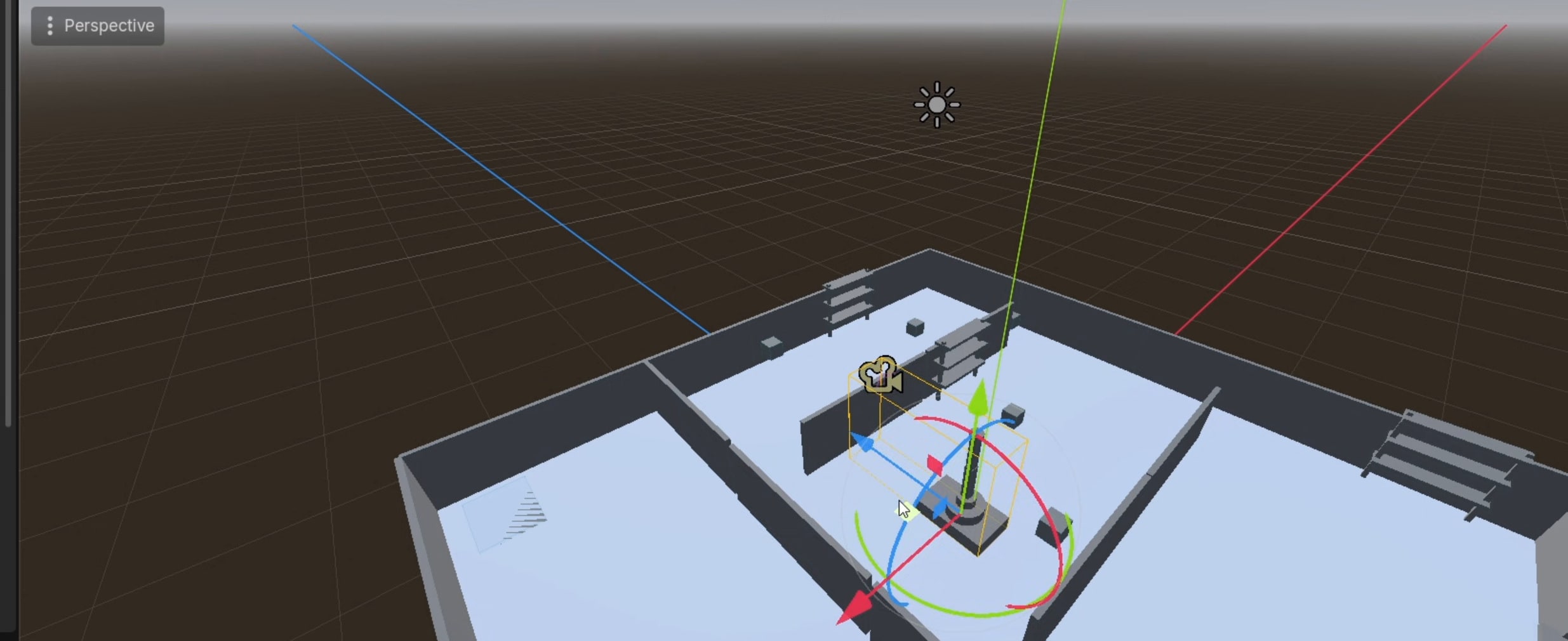
We didn’t build five maps. All five missions use the same factory and get harder in two ways: more boxes and less time. These are the real values from our level script:
| Mission | Boxes | Time | Time per box |
|---|---|---|---|
| 1 | 1 | 180 s | 180 s |
| 2 | 2 | 150 s | 75 s |
| 3 | 2 | 140 s | 70 s |
| 4 | 3 | 120 s | 40 s |
| 5 | 3 | 100 s | about 33 s |
Look at the last column. Mission 5 gives you less than a fifth of the time per box that Mission 1 does. Suddenly my defeat with 31 seconds left looks less embarrassing.
Day 4: now somebody is watching
On Day 4 the security robots arrived. Each one patrols forward and backward, with an invisible ball around it. Drive into that ball and a countdown begins. You have two seconds to get out.
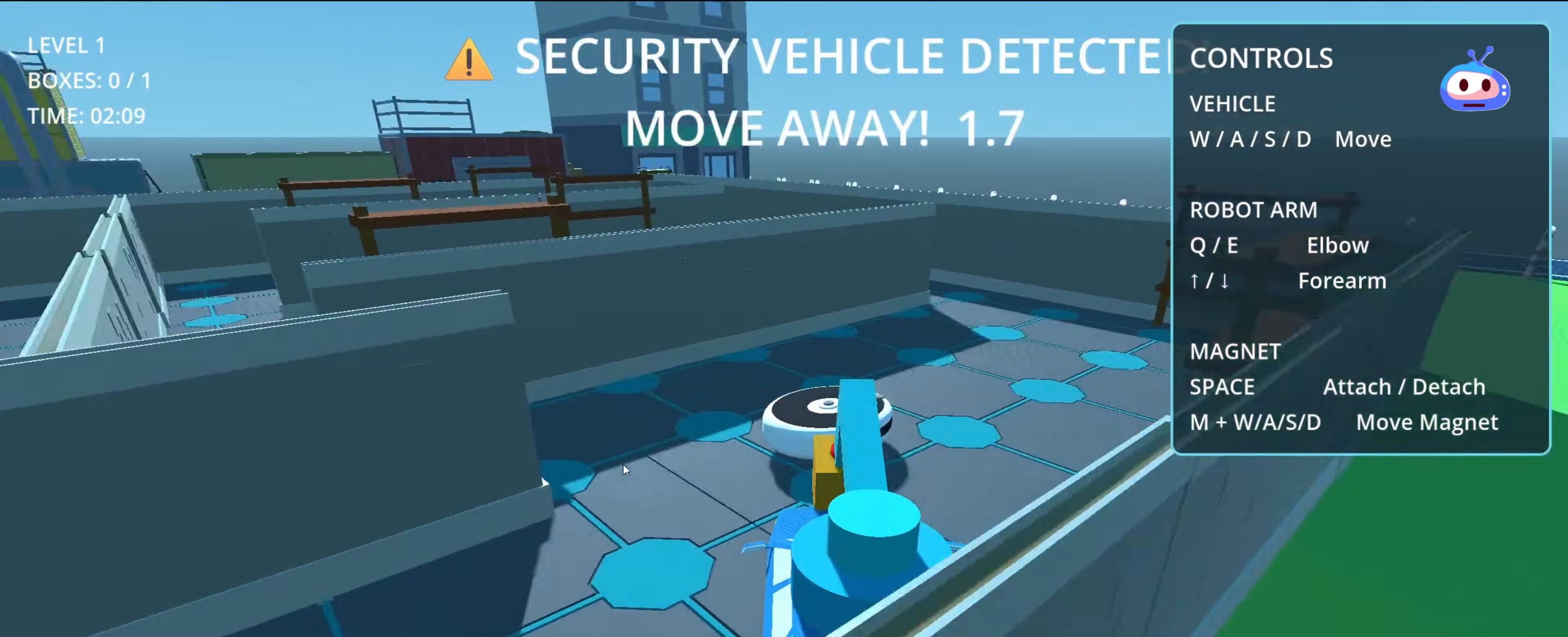
In Godot this is an Area3D: a zone that tells you when something enters or leaves it. The rest is a timer. Here is the idea, shortened:
func _on_body_entered(body):
    if body.is_in_group("player_vehicle"):
        player_detected = true
        detection_timer = 2.0
        security_vehicle.pause_vehicle()

func _on_body_exited(body):
    if body.is_in_group("player_vehicle"):
        player_detected = false
        security_vehicle.resume_vehicle()

func _process(delta):
    if player_detected:
        detection_timer -= delta
        if detection_timer <= 0.0:
            fail_mission()
A secret for players: the guard stops when it sees you, and the countdown starts again from two seconds every time you leave and come back. It never chases you. Your car is also much faster: 8 units per second against its 3. So patience wins. If I had waited a moment longer in Mission 5, I would probably have made it.
Day 5: the magnet, the heart of the game
Until then, picking up a box was easy: get near it and press Space. But our theme was degrees of freedom, so the direction of the magnet had to matter. Each box got its own magnet, and the player had to line up the two magnets before they could connect.
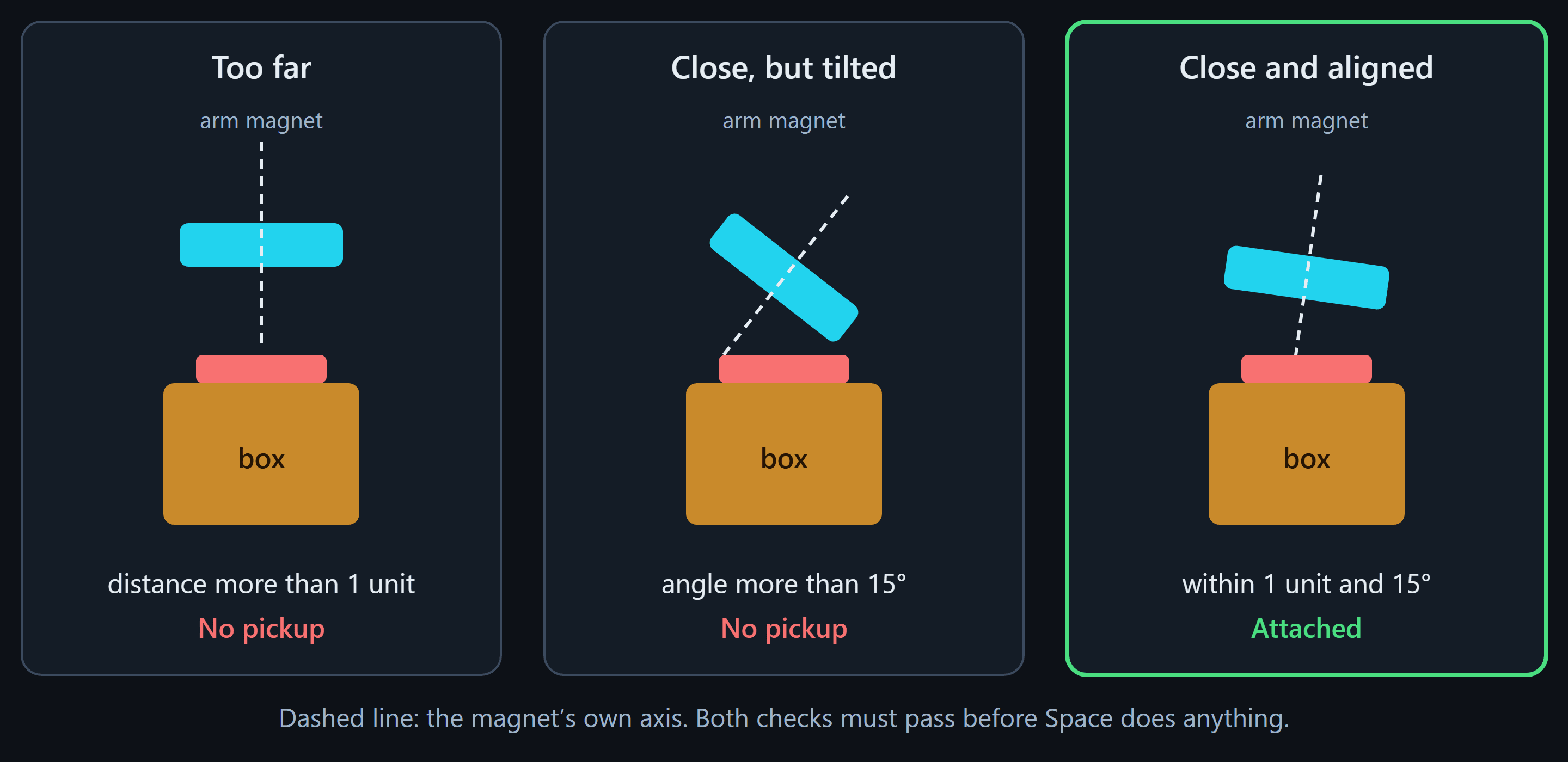
How does the game know if two magnets are aligned? With one piece of school vector maths. Each magnet has an axis, like an arrow. The dot product of two arrows of length 1 is the cosine of the angle between them. Take the inverse cosine and you have the angle:
var arm_axis = magnet.global_transform.basis.y.normalized()
var box_axis = object_magnet.global_transform.basis.y.normalized()

var alignment = clamp(abs(arm_axis.dot(box_axis)), -1.0, 1.0)
var angle = rad_to_deg(acos(alignment))

# Pickup works only if the distance is 1 unit or less
# and the angle is 15 degrees or less.
The same maths is useful in real robots, for example to check if a gripper is facing its target. If axes and rotations are new to you, read my guide on how accelerometers and gyroscopes work, where I explain roll, pitch and yaw.
Where our magnet cheats
It has no poles. The
absin the code removes the sign, so the magnets connect from either side. Real magnets would push each other away half of the time.A carried box is a ghost. While you carry it, its collisions are switched off, so it can pass through walls.
The box snaps into place. There is no real magnetic force, only a check and then a perfect position.
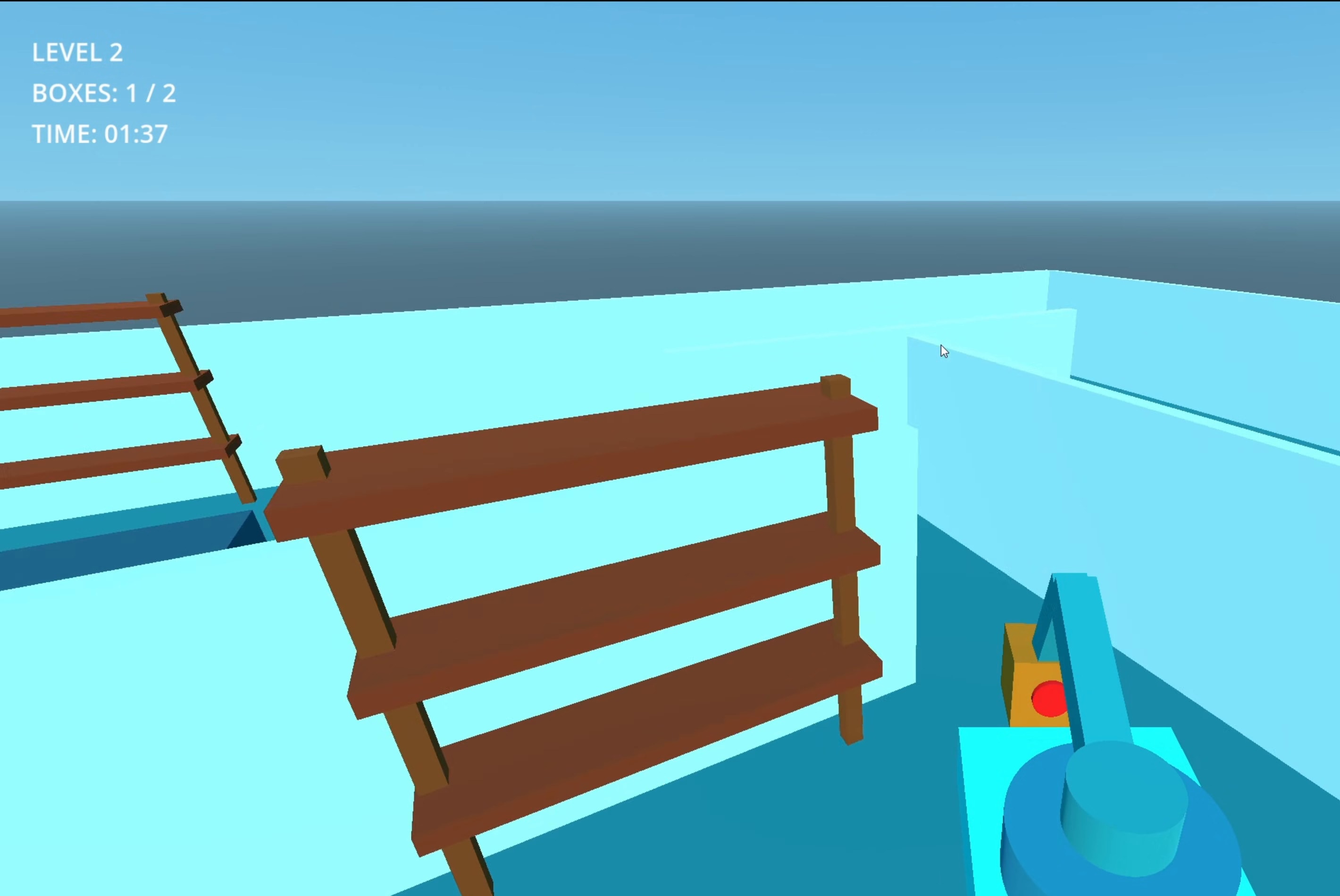
Day 5 ended with a big moment: our first Windows .exe. The factory finally had colours too. A lot of cyan.
Day 6: the day it became a game
About 24 hours before the deadline, we had music, a story, better colours, buildings, a road and containers around the factory. The gameplay was almost the same as the day before, but it felt completely different. In the video I said that it looked like something you could find on a games website, and I meant it.
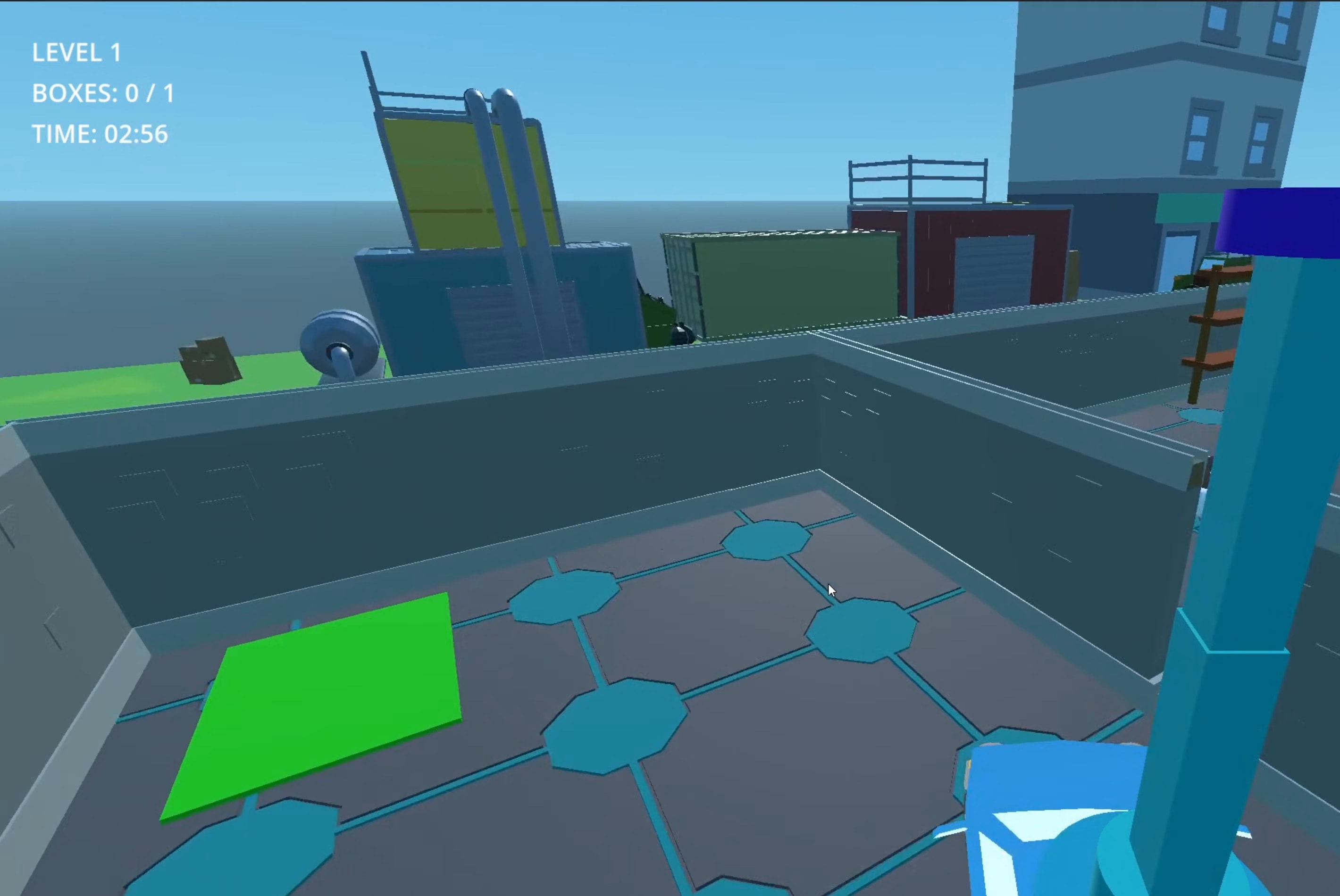
Engineers, take note: the physics didn’t make this difference. Sound, colour and a story did.
Day 7: five missions, one submission
The last day went into polishing, the story screens, bug fixing and the submission video. Some of the last fixes were very unglamorous: level reset, menu flow and background music. Nobody notices them when they work.
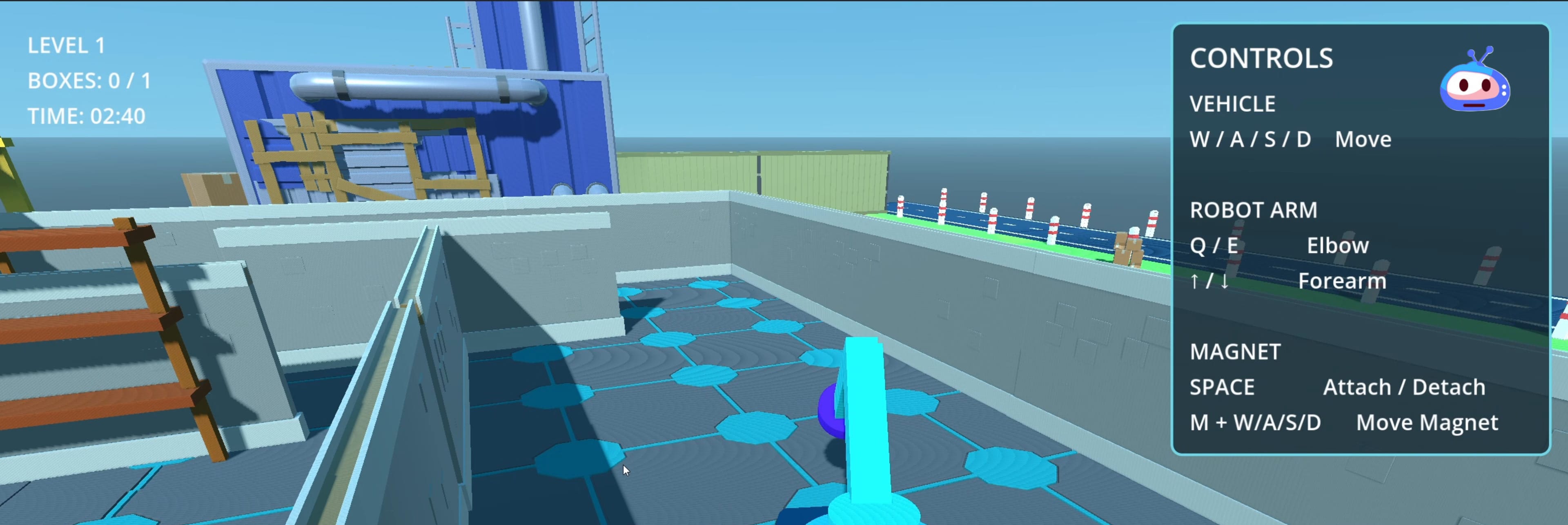
| Part | Keys | What it does | DOF |
|---|---|---|---|
| Car | W / S, A / D | Drive and turn | 2 |
| Arm | Q / E, ↑ / ↓ | Elbow and forearm | 2 |
| Magnet | Hold M + W / A / S / D | Tilt the magnet | 1 |
| Magnet | Space | Attach or detach | — |
We counted five degrees of freedom. Robotics readers may argue, because holding M lets you tilt the magnet in two directions, so you could also count six. You’re welcome to fight about it in the comments.
The story, in short: parts of a secret BUET Robotics Society research project were stolen and locked in a factory. Sending people is too risky, so the society sends the MagneticFreedom Bot. It’s completely fictional, and it made the game much more fun.
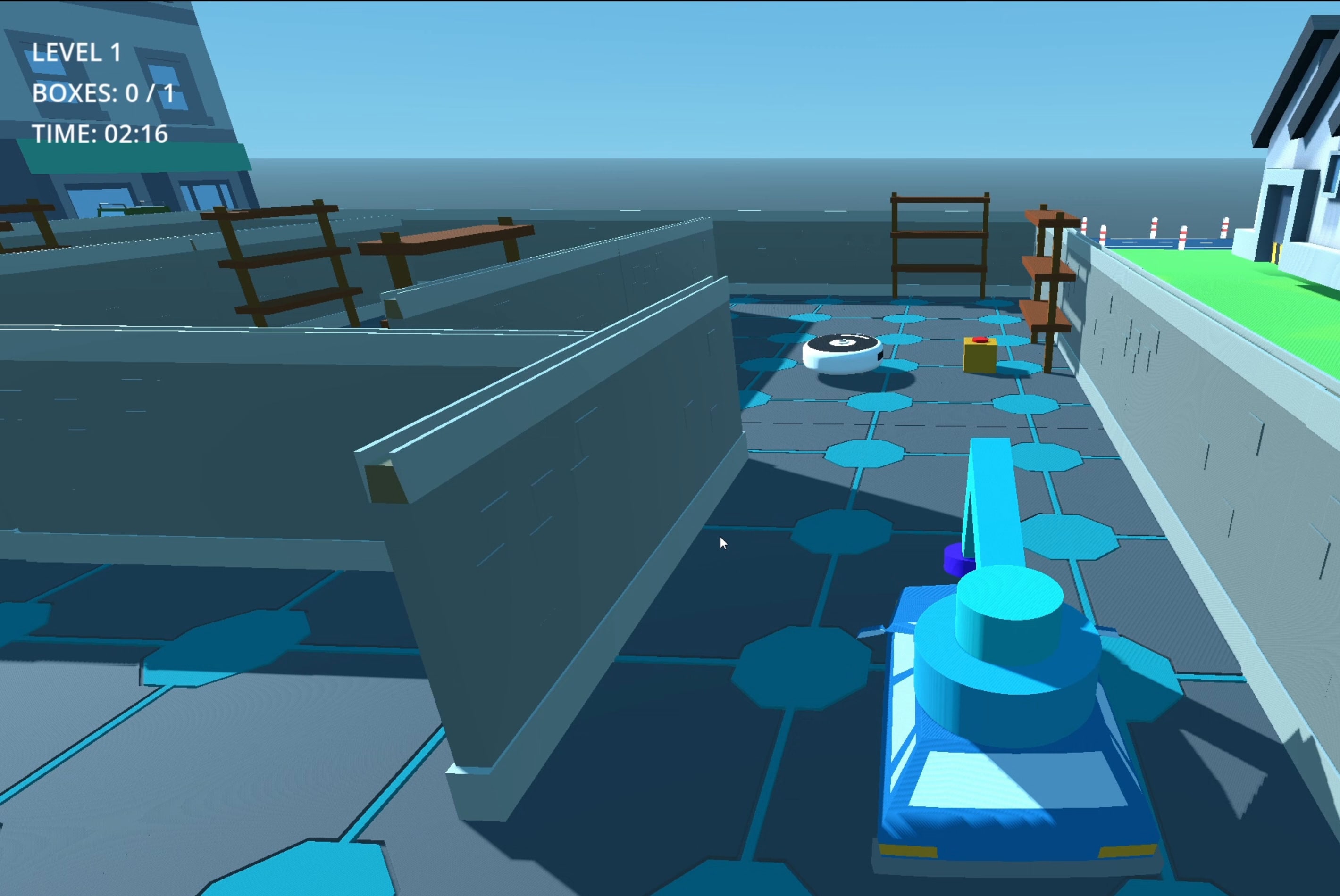
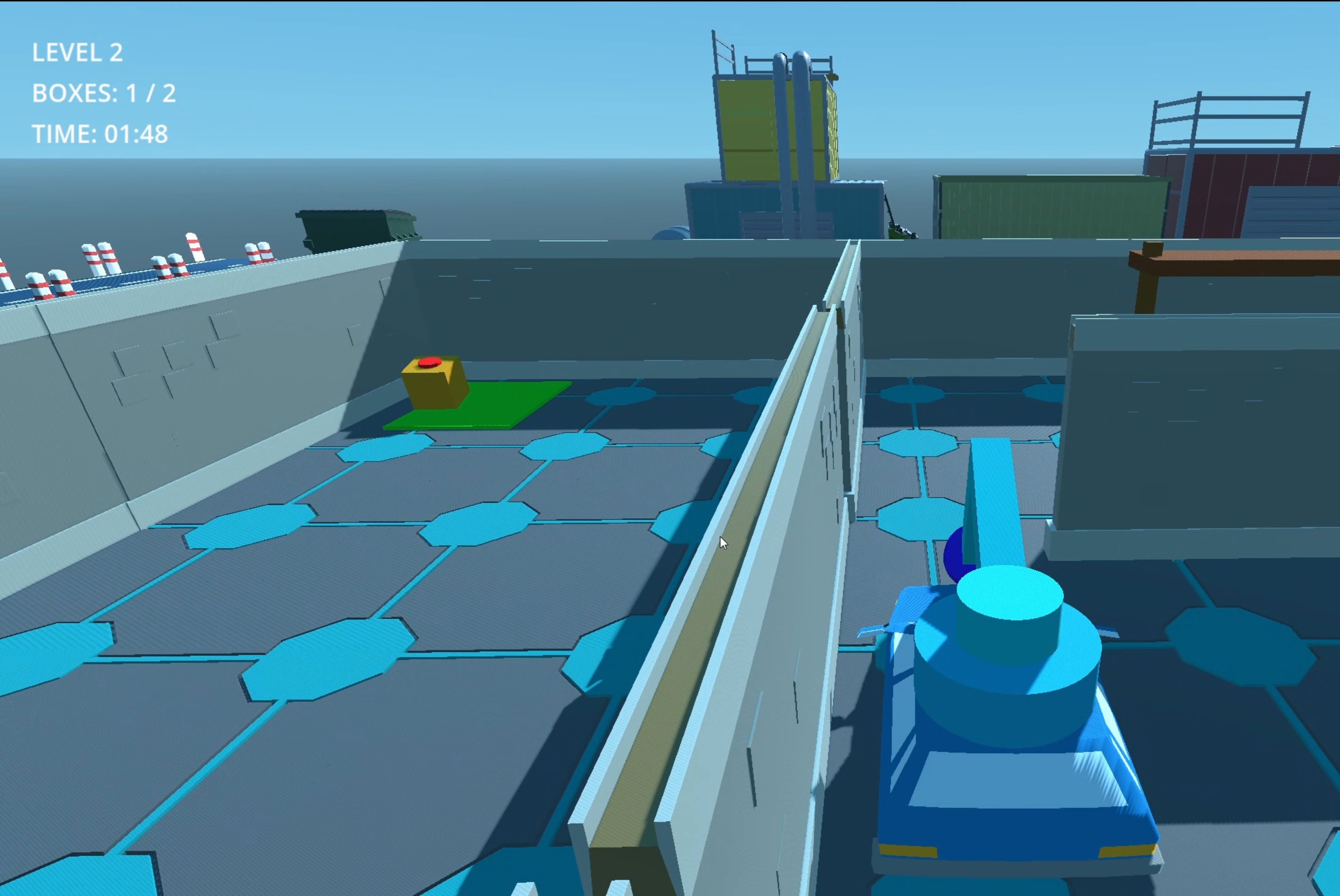
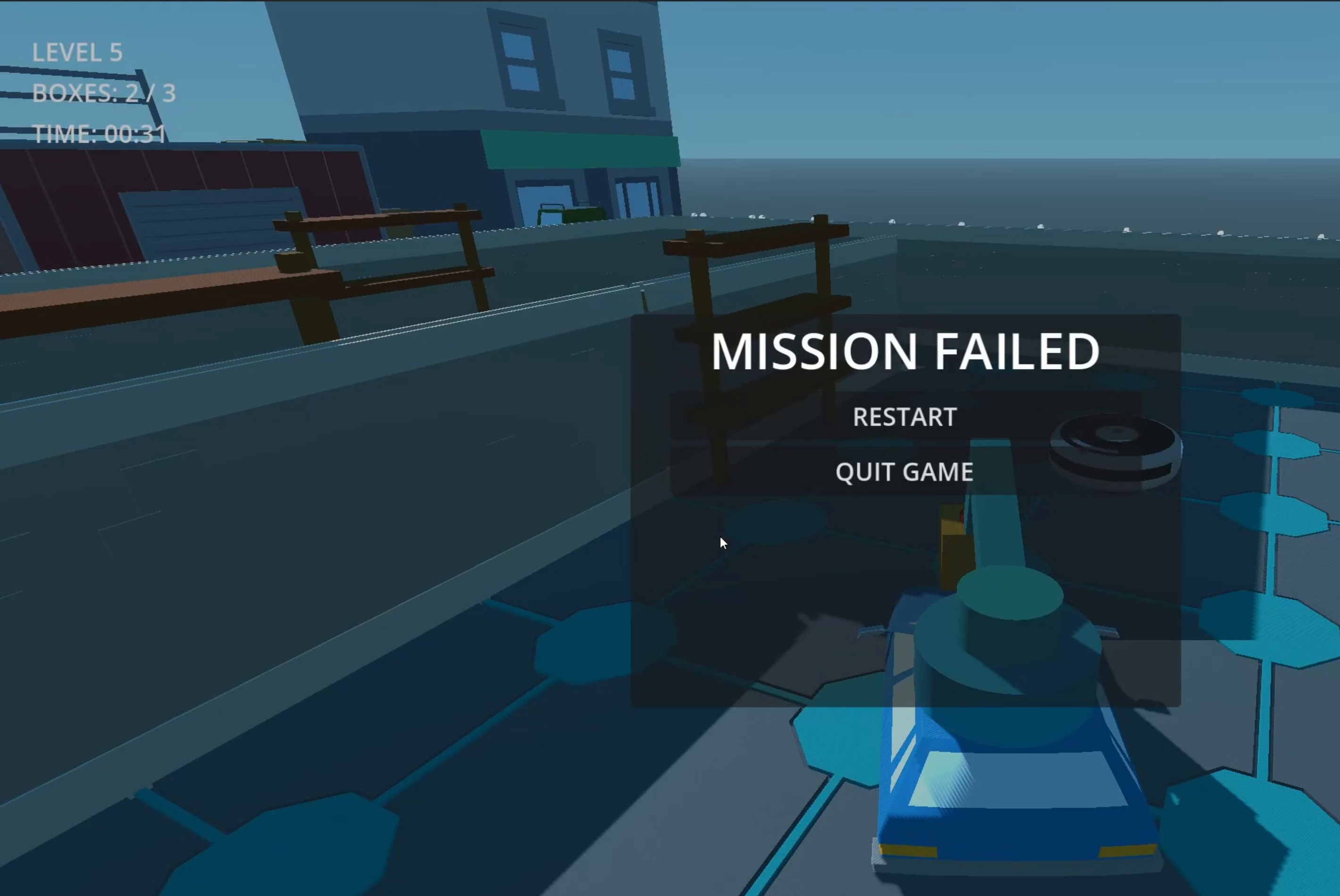
The result: we didn’t win
We finished 7th of 14 teams, with 74.15 points. First place had 88.25 and third place had 86.00, so we weren’t close to the podium. The top three were excellent:
Chronicles of Parallax: you switch between 1D, 2D and 3D to find the way. A brilliant reading of the theme.
LIBERTAS VINCTA: a dark, story-driven game with notes, keys and monsters. The atmosphere is amazing.
Escave: you escape from a cave, and gaining a degree of freedom lets you walk on the walls. I enjoyed talking to its developer.
You can play them all on the jam page.
Do you see the pattern? In the top game the theme was the game. Freedom was something you chose or earned while playing. In ours, the theme was the robot: clever for robotics people, but easy to miss for everybody else. That’s my own opinion, not a judge’s comment.
What I would change
In the video I named the arena and the difficulty. Looking at the game again, I would go further:
A better arena. One factory for five missions gets familiar quickly.
Real difficulty levels. Easy, medium and hard, not only less time.
Smarter guards. Ours only move back and forth. Even a simple chase would change everything.
Sound and colour by Day 3. We added them late, and they changed the game the most.
A gentler start. A new player has to learn five movements at once. A small tutorial mission would help.
Six lessons if you want to build a game in 7 days
Build the core first, and make it ugly. If grey boxes are fun, the game will be fun.
Make one map and change the rules. Five missions from one factory saved us a lot of work.
Choose a theme idea that fits your skills. We knew robot arms, so we built one.
Export early. Our first
.exeon Day 5 left time to fix things. On Day 7 there would have been no time.Commit to Git every day. You’ll break something at 2 AM. Be able to go back.
Cheat where the player won’t notice. Our magnets have no physics, and the game still works.
If you come from robotics like me, don’t be afraid of a game engine. Moving joints, limits, sensors, a control loop that runs many times per second: you already know all of this. A simulator is a robot that never burns its motor driver. If you want to see the same ideas in hardware, look at my robotic arm design, or at a robot that can really crash, my soccer bot.
Play it and read the code
Play: Magnetic Freedom on itch.io. It’s free, for Windows, and a 44 MB download. Extract the ZIP and run MagneticFreedom.exe. You need a keyboard; gamepads don’t work.
Code: magnetic-freedom on GitHub. Ten GDScript files that you can open in Godot 4.
How to play: our gameplay explanation video.
Credits and honesty
Magnetic Freedom was made by Team Nuvola; all members are listed on the itch.io page. We didn’t model everything ourselves: the 3D models include work by Poly by Google, Quaternius, Kenney, KolosStudios, Isa Lousberg, Zsky and Dipper98. AI tools helped us with programming, debugging, ideas and writing. The design decisions, integration and testing were ours. The code in this post is shortened from our repository, so use the full files if you want to run it. I wrote more about using AI while learning in Should you learn robotics coding or do vibe coding?
So, can you really build a game in 7 days?
Yes. Not a perfect one. Ours has ghost boxes, polite guards and a panel that hides our own warning. But it has five missions, a story, music and a robot with five degrees of freedom, and one week earlier it was an empty folder.
We came 7th. Next time I want a better number. But if somebody asks me whether the week was worth it, the answer is easy.
Your turn: download it, reach Mission 5 and tell me in the comments if you could bring the third box home. I couldn’t.
Frequently Asked Questions
Can a beginner build a game in 7 days?
Yes, if the idea is small. Make one mechanic work in the first two days with simple shapes. Add levels, sound and graphics later. This was my first game, and I worked in a team of four.
Is Godot good for a first 3D game?
It worked well for us. It’s free and open source, it handles 3D scenes, collisions and Windows export, and GDScript looks a bit like Python.
What does degrees of freedom mean in robotics?
It’s the number of independent ways in which a robot can move. A single hinge has one. Our game robot has five by our count: two for the car, two for the arm and one for the magnet.
What is a game jam?
An event where you make a game in a short, fixed time, usually around a theme that’s revealed at the start. Ours lasted about one week.
Can I play Magnetic Freedom on a Mac or a phone?
No. The build is only for Windows PCs and needs a keyboard. The source code is on GitHub if you want to try building it for another system.
Comments (0)
No comments yet. Start the discussion.