
The Question That Scares Every Beginner
I get this question a lot.
“Why should I learn coding when AI can write code for me?”
“Can’t ChatGPT just generate my Arduino sketches?”
“Do I really need to learn C++ for robotics?”
Fair questions.
AI is getting scary good. GitHub Copilot finishes your sentences. ChatGPT writes working Python scripts. Claude debugs your errors.
So why bother learning Robotics Coding?
Let me tell you a story.
10th Grade: The Year I Fell in Love with Code – Robotics Coding
I was 15. My school had a basic computer lab. Old machines. Slow internet.
One day, a friend showed me how to make a website with HTML.
Just a few tags. <h1>Hello</h1>. That’s it.
I was hooked.
I learned HTML. Then CSS. Then JavaScript. Then PHP. Then MySQL.
I built a simple blogging system from scratch. No frameworks. YouTube tutorials, PHP manual, and Stack Overflow.
Did I know what I was doing? Not really.
Did I understand algorithms? No.
Data structures? What’s that?
But I was building things. And that feeling of making something work? Unbeatable.
That year, I learned that code is just a tool. The real skill is thinking like a programmer.

The Python Years: My First “Real” Language – Robotics Coding
After web development, I discovered Python.
Beautiful. Readable. Forgiving.
I built:
Websites with Django
Automation scripts
A simple game
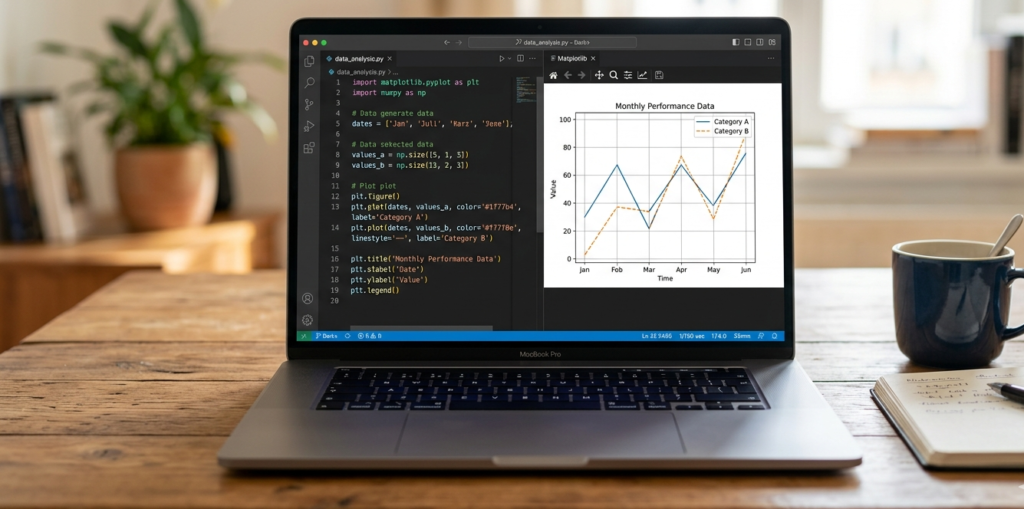
Data visualizations
Python was easy. Too easy, maybe.
I could do things without understanding how they worked. Import a library. Call a function. Done.
But something was missing.
I didn’t understand why things worked. I just knew that they worked.
University: C and C++ Humbled Me – Robotics Coding
Then came BUET.
Second semester. Course: Programming Fundamentals.
Language: C.
No list.append(). No dictionaries. No requests.get().
Just pointers. Memory allocation. malloc. free. Segmentation faults.
I struggled. Hard.
Why do I need to manage memory manually? Why can’t I just use Python?
Then came C++.
Classes. Objects. Inheritance. Polymorphism. Templates.
My brain hurt.
But slowly, something clicked.
I understood what list.append() actually does behind the scenes. I understood why Python is slow for certain things. I understood memory, pointers, references.
I understood how computers actually work.
That knowledge changed everything.

The AI Revolution: What Changed – Robotics Coding
Now, I use GitHub Copilot every day.
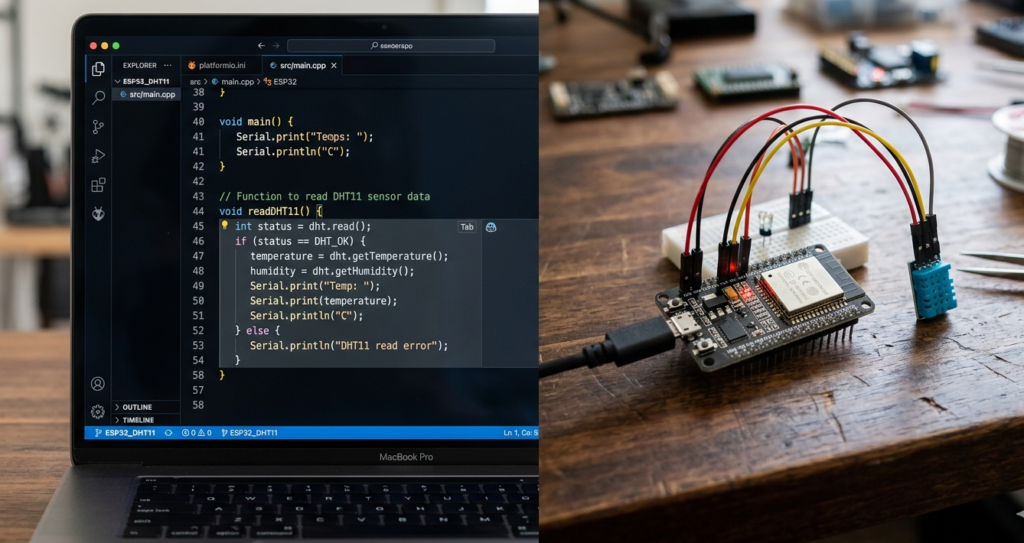
I type a comment: // Function to read DHT11 sensor and print temperature
Copilot writes the whole function.
I press Tab. Done.
I use ChatGPT to debug errors I can’t figure out.
I use Claude to explain complex concepts.
AI is incredibly useful.
But here’s the catch.
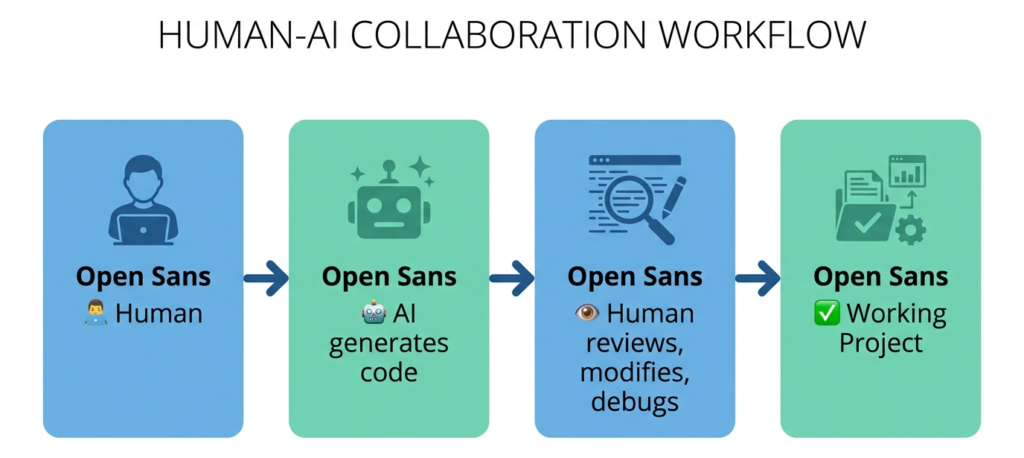
When Copilot generates code, I understand every line. I know why it’s there. I can modify it. I can debug it. I can improve it.
My friend, who started coding with ChatGPT, doesn’t.
When AI gives him code, he pastes it. If it works, great. If it doesn’t? He’s stuck.
He doesn’t know what a for loop actually does. He doesn’t know why we use int vs float. He doesn’t know how to debug a segmentation fault.
AI gave him the fish. But he never learned to fish.
The Truth: AI is a Tool, Not a Replacement – Robotics Coding
Here’s what AI can do today:
| Task | AI Capability |
|---|---|
| Generate boilerplate code | ✅ Excellent |
| Explain concepts | ✅ Very good |
| Debug simple errors | ✅ Good |
| Write documentation | ✅ Excellent |
| Optimize algorithms | ⚠️ Sometimes |
| Design system architecture | ❌ Poor |
| Understand project requirements | ❌ Poor |
| Debug complex hardware issues | ❌ Useless |
Here’s what AI cannot do:
Understand your specific hardware setup
Debug why your ESP32 keeps rebooting (power issue? code issue? wiring issue?)
Design a robot that fits your mechanical constraints
Know when to use a sensor vs a different approach
Understand the trade-offs between speed, memory, and power
AI is a junior developer on autopilot. You still need to be the senior engineer.
My Recommended Learning Path – Robotics Coding
Based on my journey, here’s what I suggest:
Step 1: Learn Algorithms and Data Structures (2-3 months) – Robotics Coding
Don’t skip this. It’s the foundation.
| Topic | Why It Matters |
|---|---|
| Arrays, Linked Lists | How data is stored |
| Stacks, Queues | Managing flow |
| Trees, Graphs | Complex relationships |
| Sorting, Searching | Organizing data |
| Recursion | Problem-solving technique |
Resources:
CS50 (Harvard’s free online course) – the gold standard
“Grokking Algorithms” by Aditya Bhargava (visual, beginner-friendly)
freeCodeCamp’s Data Structures course
Don’t just watch videos. Implement everything yourself.
Step 2: Learn Python (1-2 months) – Robotics Coding
Python is the best first language for robotics and AI.
| Why Python | |
|---|---|
| Easy to read and write | Yes |
| Huge robotics libraries | OpenCV, TensorFlow, ROS |
| Great for prototyping | Yes |
| Used in AI/ML | Yes |
Topics to cover:
Variables, loops, conditionals
Functions, classes, modules
Lists, dictionaries, tuples
File I/O, exception handling
Basic libraries: numpy, matplotlib
Resources:
Core Python by Programming with Mosh (YouTube)
Python Crash Course by Eric Matthes
RealPython.com tutorials
Step 3: Learn C and C++ (2-3 months) -Robotics Coding
This is where you understand how computers actually work.
| Why C/C++ | |
|---|---|
| Understand memory | Pointers, stack vs heap |
| Performance | Real-time robotics needs speed |
| Arduino/ESP32 | Most embedded systems use C++ |
| Control | Full control over hardware |
Topics to cover:
Pointers and references
Memory allocation (malloc, free, new, delete)
Structs and classes
Inheritance and polymorphism
Templates
How arrays actually work
Resources:
learncpp.com (free, excellent)
The Cherno’s C++ series on YouTube
“Effective Modern C++” by Scott Meyers
Step 4: Apply to Arduino/ESP32 (1 month) – Robotics Coding
Now you build things.
| Project | What You Learn |
|---|---|
| Blink LED | Setup, loop, digital output |
| Button input | Digital input, pull-up/pull-down |
| PWM LED dimming | Analog output |
| Sensor reading | ADC, analog sensors |
| Motor control | PWM, H-bridges |
| Serial communication | Debugging, data transfer |
No AI yet. Write the code yourself.
Step 5: Learn to Use AI as a Tool (Ongoing) – Robotics Coding
Once you understand the basics, bring in AI.
How to use AI effectively:
| Do This | Avoid This |
|---|---|
| Ask AI to explain concepts you don’t understand | Ask AI to write code you don’t understand |
| Use AI to generate boilerplate | Copy-paste without reading |
| Ask AI to debug your code after you tried | Ask AI before trying yourself |
| Use AI to refactor and optimize | Trust AI blindly |
| Always review and test AI-generated code | Assume it’s correct |
Tools to use:
GitHub Copilot (paid, student discount available)
ChatGPT (free tier works)
Claude (great for explanations)
Cursor (VS Code fork with AI built in)
The Natural Next Step: PlatformIO + VS Code + AI – Robotics Coding
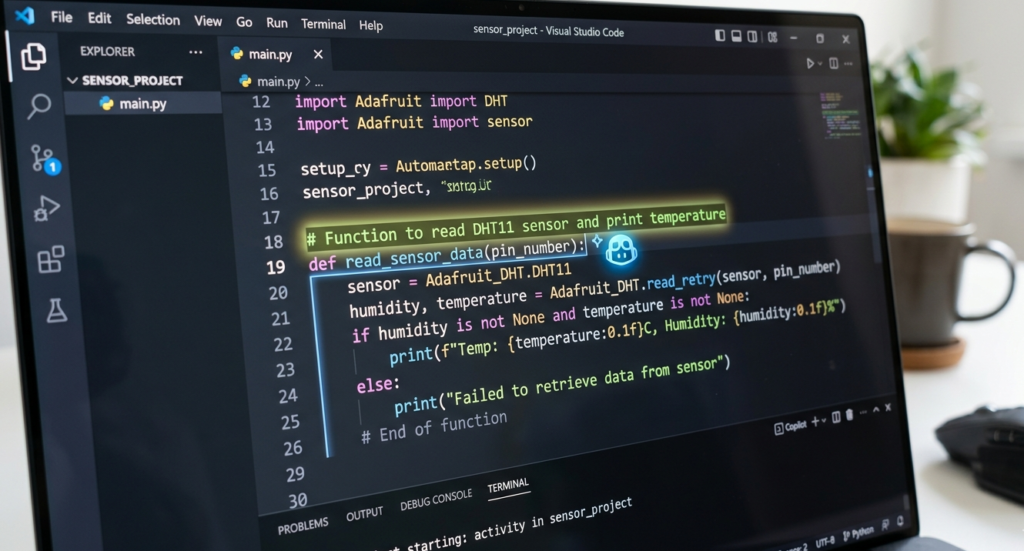
Once you’re comfortable with Arduino IDE, you’ll quickly hit its limits.
Slow compilation times. No autocomplete. Basic interface. No AI integration.
The professional world uses better tools. And you should too.
Why PlatformIO Instead of Arduino IDE? – Robotics Coding
| Feature | Arduino IDE | PlatformIO (on VS Code) |
|---|---|---|
| Autocomplete / IntelliSense | ❌ None | ✅ Full code completion |
| AI code assistants (Copilot) | ❌ Not supported | ✅ Fully integrated |
| Compilation speed | ❌ Slow (full rebuild each time) | ✅ Faster (caches dependencies) |
| Library management | ❌ Manual ZIP install | ✅ One-click library search |
| Multi-file projects | ❌ Painful | ✅ Built-in folder structure |
| Git integration | ❌ None | ✅ Built-in version control |
| Port selection | ❌ Manual (always guessing COM port) | ✅ Auto-detects connected device |
| Project organization | ❌ Single file only | ✅ Professional folder structure |
The difference is massive. I’ve seen compilation times drop from over 30 minutes to just 1-2 minutes after switching to PlatformIO . That’s time you can spend actually building things.
What is PlatformIO? – Robotics Coding
PlatformIO is not a separate IDE. It’s a plugin that runs inside Visual Studio Code.
Think of it as a professional upgrade to your coding environment. You get:
IntelliSense: As you type, VS Code suggests functions, variables, and even shows you documentation. Arduino IDE gives you nothing.
Library Manager: Search for “DHT22”, click install,
#include <DHT.h>in your code. No more hunting for ZIP files.Multiple Boards: Work with ESP32, Arduino, STM32, RP2040 – all in one place.
Debugging: Set breakpoints, inspect variables, step through code. Arduino IDE has nothing like this.
Setting up VS Code and PlatformIO to Control Servo Motors – Robotics for Beginners: Learn ESP32 PlatformIO with VS Code | Blink LED Tutorial
Level Up with GitHub Copilot (Free for Students) – Robotics Coding
Here’s where things get exciting.
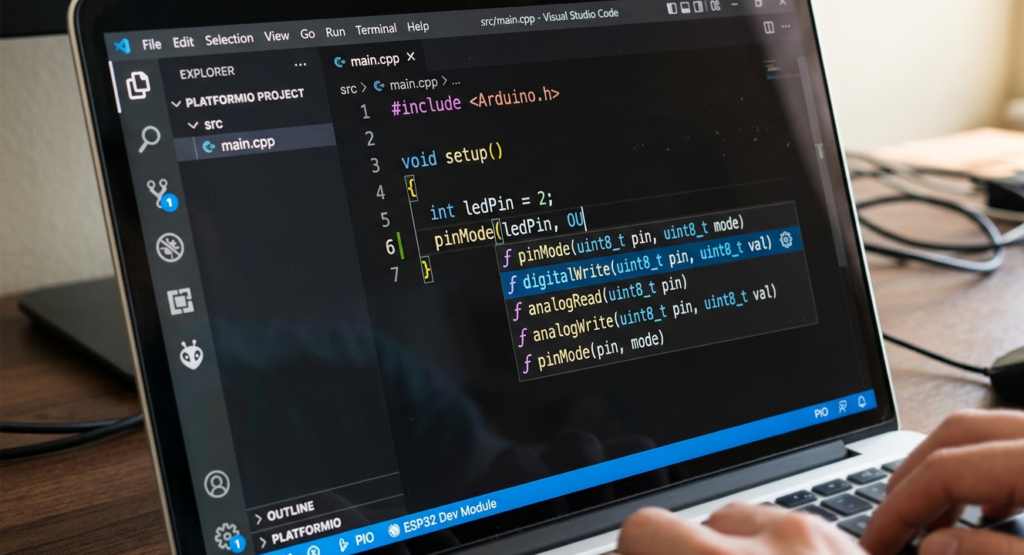
GitHub Copilot is an AI coding assistant that suggests entire lines or blocks of code as you type. It’s like having a senior developer looking over your shoulder.
How it works:
You type a comment:// Function to read temperature from DHT11 sensor and print to Serial
Copilot suggests the entire function. You press Tab. Done.
Not just boilerplate – real, working code based on context.
Examples of what Copilot can do for ESP32 development:
| Task | How Copilot Helps |
|---|---|
| Writing setup functions | Suggests pinMode, Serial.begin, sensor initialization |
| Creating loop logic | Generates reading intervals, debounce patterns |
| Debugging | Explains errors and suggests fixes |
| Documentation | Writes comments explaining your own code |
The Student Discount (This is Important)
GitHub Copilot normally costs money. But if you’re a student, you get it for free through the GitHub Student Developer Pack.
What you get with the Student Pack:
✅ GitHub Copilot Pro (free while you’re a student)
✅ Access to dozens of other developer tools
✅ Valid for 2+ years (renewable)
Identifying resistor values – How To Read Resistor Color Codes (And Never Burn an LED Again) | 4 Easy Steps
What I Use AI For (And What I Don’t) – Robotics Coding
I use AI for Robotics Coding:
Generating repetitive code (similar structs, switch cases)
Writing documentation strings
Explaining complex algorithms
Suggesting alternative approaches
Finding syntax errors
Translating between languages
I don’t use AI for Robotics Coding:
Designing system architecture
Debugging hardware issues
Choosing components
Understanding project requirements
Making design trade-offs
Writing critical safety code
The Bottom Line – Robotics Coding
AI is not replacing programmers who understand the fundamentals.
AI is replacing programmers who only copy-paste from Stack Overflow.
Here’s the truth:
| If you… | AI will… |
|---|---|
| Understand algorithms and data structures | Make you 10x more productive |
| Don’t understand the basics | Make you helpless when it fails |
Learn the fundamentals first. Then use AI to accelerate.
You don’t need to be a C++ expert. But you need to understand:
What a variable is
How memory works (at a basic level)
What a loop does
How functions work
The difference between stack and heap
What a pointer is (even if you mostly use references)
These concepts take time. They’re not hard, but they’re not instant.
And they’re worth every minute.
Recommended Courses – Robotics Coding
If you’re starting from zero, here’s what I suggest:
| Course | Platform | Cost | Focus |
|---|---|---|---|
| CS50 | edX | Free | Computer science fundamentals |
| Python for Everybody | Coursera | Free audit | Python basics |
| Learn C++ | learncpp.com | Free | C++ from scratch |
| The Odin Project | theodinproject.com | Free | Full-stack (optional but good) |
For robotics specifically:
ROS Tutorials (robot operating system)
Arduino Project Hub (learn by doing)
ESP32 forums (real-world problems)
Your Turn – Robotics Coding
So here’s my answer to the question:
Should you learn coding for robotics, aka Robotics Coding, or can AI do everything?
Learn. AI can write code. AI can explain concepts. AI can debug.
But AI cannot think for you. AI cannot design for you. AI cannot understand your specific hardware for you.
AI is a tool. You are the engineer.
Learn the fundamentals. Then use AI to build faster.
That’s how you become a robotics developer. Not by replacing your brain with AI, but by augmenting it.
FAQs
Affiliate Disclosure
Some links in this post are affiliate links. If you purchase through them, I may earn a small commission at no extra cost to you. This helps support Roborear. Thanks!