
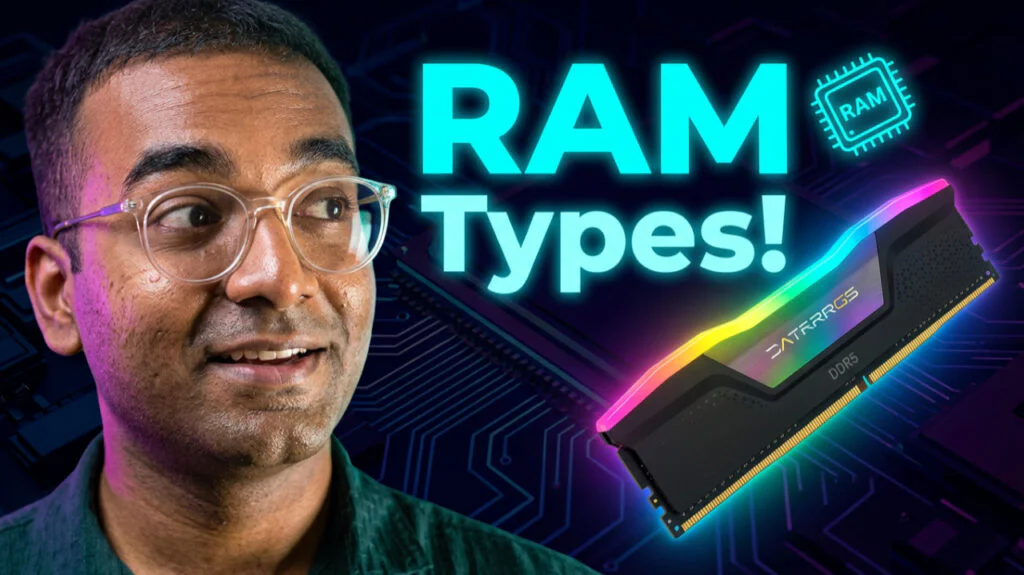

The “Wait, That’s Not Just RAM?” Moment – PC RAM Type
I used to think RAM was just RAM.
You buy a stick, you plug it in, your computer gets faster. Simple, right?
Then I started building PCs. And I discovered that RAM is actually a whole universe of different types — each designed for completely different jobs.
Your gaming PC uses GDDR6. Your smartphone uses LPDDR5. AI servers use HBM. Server farms use ECC RAM. And your grandma’s old laptop? Probably still running DDR3.
In this guide, I’ll break down every major type of RAM you’ll ever encounter — from the classic DDR generations to the exotic HBM that powers the world’s fastest supercomputers.
What is RAM? (The 30-Second Refresher) – PC RAM Type
RAM stands for Random Access Memory. It’s your computer’s short-term memory — the place where data is stored temporarily so your processor can access it quickly .
| Property | Explanation |
|---|---|
| Volatile | Forgets everything when power is off |
| Fast | Much faster than SSD or HDD |
| Temporary | Holds data for programs you’re currently running |
The desk analogy: Your SSD is like a filing cabinet (permanent storage). RAM is like your desk (temporary workspace). The bigger your desk, the more papers you can spread out and work on at once.
The Main Memory: DDR Generations (DDR1 to DDR5)
DDR stands for Double Data Rate. Each generation got faster, more efficient, and physically different.
DDR1 (The Pioneer)
| Property | Details |
|---|---|
| Release | 2000 |
| Voltage | 2.5V |
| Max Speed | 200-400 MT/s |
| Notch Position | Near the center |
What it was: The first mainstream DDR memory. It doubled the data rate of SDRAM by transferring data on both the rising and falling edges of the clock signal.
Legacy: Completely obsolete. You’ll only find it in museum PCs.
DDR2 (The Speed Bump)
| Property | Details |
|---|---|
| Release | 2003 |
| Voltage | 1.8V |
| Max Speed | 400-1066 MT/s |
| Notch Position | Slightly off-center |
What it was: Faster and more power-efficient than DDR1. Introduced higher burst lengths and faster speeds.
Legacy: Mostly obsolete. Some old office PCs still use it.
DDR3 (The Long-Lived Workhorse)
| Property | Details |
|---|---|
| Release | 2007 |
| Voltage | 1.5V |
| Max Speed | 800-2133 MT/s |
| Notch Position | Off-center, different from DDR2 |
What it was: The dominant memory for over a decade. Still found in many older gaming PCs and office machines .
Why it lasted so long: It was cheap, reliable, and “good enough” for most tasks.
Current status: Replaced by DDR4, but still used in budget builds and legacy systems.
DDR4 (The Current Standard)
| Property | Details |
|---|---|
| Release | 2014 |
| Voltage | 1.2V |
| Max Speed | 2133-3200 MT/s |
| Notch Position | Near the edge |
What it is: The most common memory in PCs built between 2015 and 2023. It offers higher speeds, lower power, and larger capacities than DDR3 .
Capacity: Supports up to 64GB per stick .
When to buy: If you’re building a budget PC or upgrading an older system, DDR4 is still great value.
DDR5 (The Future, Today)
| Property | Details |
|---|---|
| Release | 2021 |
| Voltage | 1.1V |
| Max Speed | 4800-8400+ MT/s |
| Notch Position | Different from DDR4 |
What it is: The newest generation. Twice the speed of DDR4, with on-module voltage regulation for better stability .
Key features:
Higher speed: Starts at 4800 MT/s
Higher capacity: Up to 128GB per stick
Better power efficiency: On-module power management IC (PMIC)
When to buy: If you’re building a high-end PC or want future-proofing.
Graphics Memory: GDDR and VRAM – PC RAM Type
GDDR6 (Graphics Double Data Rate 6)
| Property | Details |
|---|---|
| Used In | Graphics cards, gaming consoles |
| Purpose | Storing textures, framebuffers |
| Bandwidth | Very high |
| Latency | Higher than standard DDR |
What it is: RAM designed specifically for graphics cards. It prioritizes bandwidth over latency — exactly what gaming and 3D rendering need .
Why it’s different: GDDR6 uses a wider bus and higher clock speeds to push massive amounts of data to the GPU.
When to care: If you’re buying a graphics card for gaming or video editing.
GDDR7 (The New Generation) – PC RAM Type
| Property | Details |
|---|---|
| Release | 2024 |
| Bandwidth | Up to 192 GB/s per device |
| Innovation | PAM3 signaling for higher speed |
What it is: The newest graphics memory standard, officially released by JEDEC in March 2024 . It uses PAM3 (Pulse Amplitude Modulation) signaling for higher data rates .
Key features:
Doubled bandwidth compared to GDDR6
Improved signal-to-noise ratio
Better power efficiency
When to care: In upcoming high-end graphics cards.
HBM (High Bandwidth Memory) – PC RAM Type
| Property | Details |
|---|---|
| Used In | AI accelerators, supercomputers, high-end GPUs |
| Design | 3D stacked memory chips |
| Bandwidth | Extremely high (TB/s) |
| Physical Footprint | Very small |
What it is: The most advanced memory technology, where memory chips are stacked vertically and connected through tiny wires called TSVs (Through-Silicon Vias) . HBM is the fuel for AI GPUs, providing the massive bandwidth needed for training large language models .
Why it matters: HBM offers extreme bandwidth in a tiny package, making it perfect for AI and high-performance computing .
Who uses it: NVIDIA H100 / B200 / Rubin GPUs, AMD MI300, and other AI accelerators .
VRAM (Video RAM) — The Catch-All Term – PC RAM Type
VRAM is simply the memory on your graphics card. It’s usually GDDR or HBM. It stores textures, framebuffers, and other graphics data.
Mobile and Low-Power Memory: LPDDR
LPDDR5X (Low Power Double Data Rate 5X) – PC RAM Type
| Property | Details |
|---|---|
| Used In | Smartphones, laptops, AI servers |
| Power | Extremely low |
| Speed | Up to 8533 MT/s |
| Design Focus | Energy efficiency |
What it is: Memory designed for battery-powered devices. It consumes very little power while still offering decent performance .
Why it’s special: LPDDR has traditionally been for phones, but NVIDIA’s Grace CPU uses LPDDR5X (ECC) for AI servers because of its outstanding energy efficiency. A Grace CPU can deliver around 500 GB/s of memory bandwidth while sipping power — crucial for large-scale AI deployments .
When to care: If you’re buying a phone, thin laptop, or building an AI server.
Server Memory: ECC and Beyond
ECC RAM (Error-Correcting Code) – PC RAM Type
| Property | Details |
|---|---|
| Used In | Servers, workstations |
| Key Feature | Detects and corrects memory errors |
| Cost | More expensive than non-ECC |
What it is: Memory that can detect and correct data corruption. Critical for servers where a single bit flip could crash the entire system.
Why it’s important: In servers, memory errors are rare but catastrophic. ECC RAM adds extra bits to store checksums, allowing the system to detect and fix errors.
When to care: If you’re building a server or a workstation for mission-critical work.
The Big Picture: How They All Fit Together – PC RAM Type
| Memory Type | Primary Use | Key Characteristic |
|---|---|---|
| DDR5 | Desktop PCs, servers | General-purpose, fast |
| DDR4 | Budget PCs, older systems | Still great value |
| DDR3 | Old systems | Obsolete but still around |
| GDDR6 | Graphics cards | High bandwidth |
| HBM | AI, supercomputing | Extreme bandwidth, 3D stacked |
| LPDDR5 | Phones, laptops | Low power |
| ECC RAM | Servers | Error correction |
Which One Should You Buy? – PC RAM Type
| Use Case | Recommendation |
|---|---|
| Budget Gaming PC | DDR4 (still great value) |
| High-End Gaming PC | DDR5 |
| Workstation | DDR5 with ECC (if supported) |
| Graphics Card | GDDR6 or GDDR7 (if available) |
| Smartphone | LPDDR5 or LPDDR5X |
| AI/Deep Learning Server | HBM + LPDDR (Grace CPU) |
Your Turn – PC RAM Type
RAM isn’t just RAM. It’s a whole ecosystem of specialized memory, each type designed for a specific job.
DDR powers your PC
GDDR powers your graphics card
HBM powers AI and supercomputing
LPDDR powers your phone
ECC protects server data
Different devices need different memory. And now you know exactly which one does what.
Frequently Asked Questions
1. What's the difference between DDR4 and DDR5? Should I upgrade? - PC RAM Type
DDR5 is significantly faster (starting at 4800 MT/s vs DDR4’s 2133-3200 MT/s) and more power-efficient (1.1V vs 1.2V). However, you need a compatible motherboard and CPU. For gaming, DDR5 offers a modest performance boost. For productivity (video editing, 3D rendering), the difference is more noticeable. If building new, go DDR5. If upgrading an older system, DDR4 is still great value.
2. Can I use DDR4 RAM in a DDR5 motherboard? - PC RAM Type
No. DDR4 and DDR5 have different physical designs — the notch position and pin layout are different. They are not cross-compatible. You cannot physically insert DDR4 into a DDR5 slot, and vice versa. Always check your motherboard’s specifications before buying RAM.
3. What's the difference between LPDDR and standard DDR? - PC RAM Type
LPDDR (Low Power DDR) is optimized for battery-powered devices like smartphones and laptops. It consumes significantly less power, which extends battery life. However, it’s typically soldered onto the motherboard and cannot be upgraded. Standard DDR is designed for desktop PCs and servers, prioritizing performance over power efficiency and offering user-upgradable modules.
4. Why is HBM so expensive and hard to make? - PC RAM Type
HBM uses 3D stacking technology where memory chips are stacked vertically and connected through TSVs (Through-Silicon Vias). This requires advanced manufacturing processes, high precision, and expensive packaging (like CoWoS). The complexity results in lower yields and higher costs — but the extreme bandwidth makes it essential for AI and supercomputing.
5. Do I need ECC RAM for gaming? - PC RAM Type
No. ECC RAM is designed for servers and workstations where data corruption can be catastrophic. For gaming, standard non-ECC RAM is perfectly fine. ECC RAM is more expensive and slightly slower. Only consider it if you’re building a server, a workstation for scientific computing, or a system that needs maximum reliability.