

The “Wait, How Many Memory Types?!” Moment – Microcontroller Memory Types
I was staring at the spec sheet for an ESP32 when I saw it.
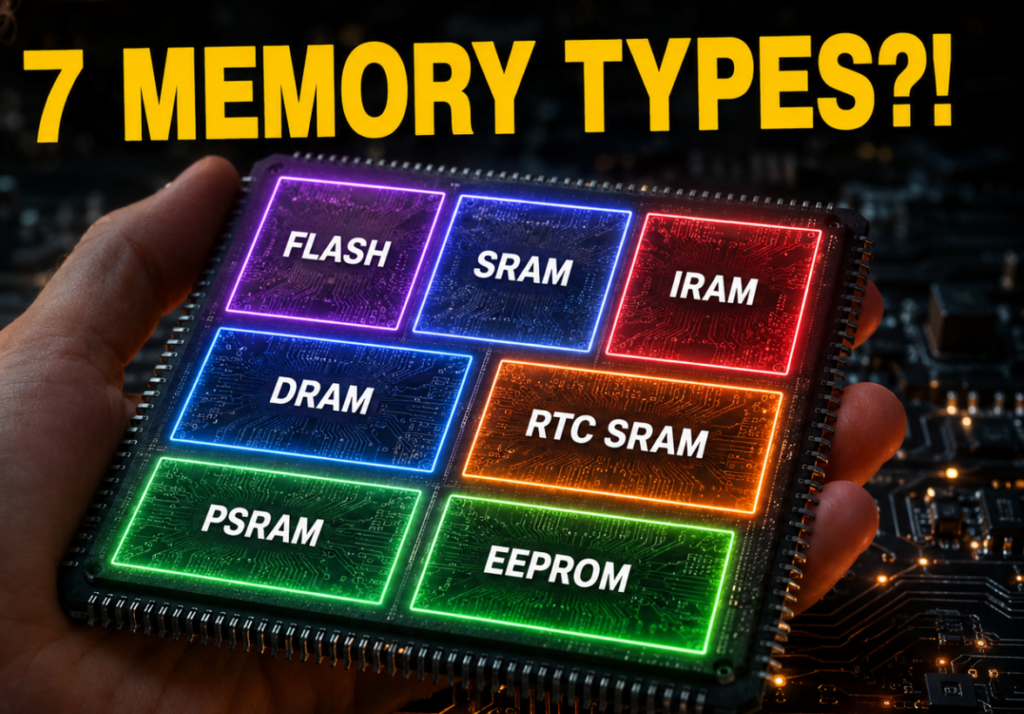
SRAM. DRAM. IRAM. PSRAM. RTC RAM. Flash. ROM. EEPROM.
Seven different types of memory. On one tiny chip.
My brain short-circuited. My PC has ONE stick of RAM. Why does a microcontroller smaller than my fingernail need seven different types?
That question sent me down a rabbit hole. And what I found is actually pretty clever.
Let me explain why your microcontroller has so many different types of memory — and why it’s actually genius engineering.
Memory 101: The Two Families – Microcontroller Memory Types
Before we dive into specific types, let’s start with the big picture. Every memory type in a microcontroller belongs to one of two categories :
| Family | What It Means | Examples |
|---|---|---|
| Volatile | Forgets everything when power is off | RAM types (SRAM, DRAM, PSRAM) |
| Non-volatile | Remembers even when power is off | ROM types (Flash, EEPROM) |
The desk analogy:
Volatile memory = Your desk. Everything you’re working on is there while you’re working. But when you leave, it gets cleared.
Non-volatile memory = Your filing cabinet. Stuff stays there even when you’re not in the room.
Every microcontroller has at least one of each. But the fun part is how different chips split up those two categories to be more efficient.
Why So Many Types? The Three Reasons – Microcontroller Memory Types
1. Speed vs Power Trade-off
The faster the memory, the more electricity it guzzles . Your PC doesn’t care about this—it’s plugged into the wall. But a microcontroller might run on a tiny coin cell battery for YEARS. It needs to sip power like a vampire.
2. Physical Space
A microcontroller is smaller than your fingernail. There’s no room for one big block of fast SRAM. Engineers have to squeeze in tiny “pockets” of different memory types where they fit .
3. Job Specialization
A PC runs an operating system that juggles 50 programs at once. It needs ONE giant flexible pool of RAM. A microcontroller does ONE job at a time — and engineers know exactly how much memory each job will take.
The Core Three: Flash, SRAM, and EEPROM – Microcontroller Memory Types
Every microcontroller has these three fundamental memory types .
Flash (The Notebook) – Microcontroller Memory Types
| Property | Details |
|---|---|
| Type | Non-volatile |
| Speed | Slowest |
| Purpose | Stores your program permanently |
| Analogy | The notebook that holds your code |
| Examples | 32KB on Arduino Uno, 4MB on ESP32 |
When you upload a sketch to your Arduino, it goes into Flash. It stays there even when you unplug the board. That’s why your program is still there the next time you power on .
Fun fact: Flash memory retains data without power by trapping charge on an isolated floating gate within each cell .
SRAM (The Desk) – Microcontroller Memory Types
| Property | Details |
|---|---|
| Type | Volatile |
| Speed | Fastest |
| Purpose | Variables, stack, heap |
| Analogy | The desk where active work happens |
| Examples | 2KB on Arduino Uno, 512KB on ESP32 |
SRAM is where your variables, the stack, and the heap live while your program runs . It’s super fast — much faster than Flash. But it’s volatile, so everything disappears when power is cut.
Why no DRAM in most MCUs? DRAM is cheap and holds a lot, but it needs constant refreshing and takes a separate controller. For a tiny MCU, that’s usually too big, too complex, and consumes too much power .
EEPROM (The Filing Cabinet) – Microcontroller Memory Types
| Property | Details |
|---|---|
| Type | Non-volatile |
| Speed | Slow |
| Purpose | Settings, configuration data |
| Analogy | The filing cabinet for settings |
| Examples | 1KB on Arduino Uno |
EEPROM is non-volatile like Flash, but you can change individual bytes instead of whole blocks . Perfect for saving settings like WiFi passwords or calibration values.
Note: Not every modern microcontroller has dedicated EEPROM. Some use Flash emulation instead — a software technique that uses a portion of Flash memory to simulate EEPROM behavior .
The Harvard Architecture: Why Program and Data are Separate – Microcontroller Memory Types
Here’s something that blew my mind. Many microcontrollers use something called Harvard architecture .
In the Harvard architecture:
Program instructions and program data live in separate memory units
The CPU can access both at the same time
Why this matters:
It’s faster (no waiting for one or the other)
It’s safer (your program can’t accidentally overwrite itself)
In contrast, your PC uses Von Neumann architecture where program and data share the same memory pool.
ESP32’s Specialized Memory – Microcontroller Memory Types
The ESP32 takes memory management to the next level by splitting its RAM into specialized zones for speed and power saving .
IRAM (Instruction RAM) – Microcontroller Memory Types
| Property | Details |
|---|---|
| Purpose | Running critical code (interrupts) |
| Speed | Fastest |
| Location | Internal |
| Volatile | Yes |
IRAM is used for code that must run from RAM, like interrupt handlers or timing-critical functions . The default design typically places 200KB of SRAM on the instruction memory bus (IRAM), and 320KB on the data memory bus (DRAM) .
When to use IRAM: Interrupt handlers must be placed into IRAM if ESP_INTR_FLAG_IRAM is used when registering the interrupt handler .
DRAM (Data RAM) – Microcontroller Memory Types
| Property | Details |
|---|---|
| Purpose | Variables, heap, stack |
| Speed | Fast |
| Location | Internal |
| Volatile | Yes |
This is the normal working memory for variables, the heap, and all your runtime data .
Wait, isn’t this the same as SRAM? Yes! The ESP32 SDK calls it “DRAM” to distinguish it from IRAM, but technically, it’s just SRAM dedicated to data. Don’t confuse it with the DRAM in your PC — it’s not the same thing !
RTC SRAM (The Sticky Note) – Microcontroller Memory Types
| Property | Details |
|---|---|
| Purpose | Timekeeping in deep sleep |
| Speed | Slowest |
| Location | Internal (battery-backed) |
| Volatile | No (stays alive in sleep) |
RTC memory can retain its contents even when the main CPUs are in deep-sleep mode, as long as the RTC domain remains powered . It’s used by the ULP co-processor and the main application to store data that needs to persist across deep-sleep cycles.
PSRAM (The Expansion Pack) – Microcontroller Memory Types
| Property | Details |
|---|---|
| Purpose | Extra memory for big projects |
| Speed | Slower than internal |
| Location | External (separate chip) |
| Volatile | Yes |
PSRAM (Pseudo-SRAM) is external memory connected to the ESP32 that acts like extra RAM for big projects . It’s slower than internal SRAM, but it’s much bigger — perfect for audio streaming, camera buffers, complex graphics, and machine learning models.
What is PSRAM? It’s a type of memory that acts like DRAM (dynamic) but looks like SRAM (static) to the software. It provides a middle ground between speed, cost, and capacity .
STM32’s Special Memory Types – Microcontroller Memory Types
STM32 microcontrollers have their own set of specialized memory types for speed and persistence.
CCM RAM (Core Coupled Memory) – Microcontroller Memory Types
| Property | Details |
|---|---|
| Purpose | Performance-critical data/code |
| Speed | Ultra-fast |
| Location | Internal (near CPU) |
| Volatile | Yes |
CCM RAM is tightly coupled with the ARM Cortex core, allowing code execution at the maximum system clock frequency without any wait-state penalty . It’s typically used for real-time and computation-intensive routines like digital power conversion control loops, field-oriented 3-phase motor control, and real-time DSP tasks .
Performance benefit: A benchmark between STM32F103 and STM32F303 shows that when code runs from CCM SRAM, the total execution time drops by 20.33% compared to running from Flash .
Backup SRAM – Microcontroller Memory Types
| Property | Details |
|---|---|
| Purpose | Data retention during power loss |
| Speed | Slow |
| Location | Internal (battery-backed) |
| Volatile | No (battery-backed) |
Backup SRAM can retain data when the main system is powered down — as long as you have a backup battery connected . Perfect for storing critical system state or sensor calibration data that you don’t want to lose during a power outage.
The Stack vs Heap (Understanding SRAM) – Microcontroller Memory Types
Your SRAM is divided into two main areas: the stack and the heap .
The Stack (Organized Piles) – Microcontroller Memory Types
| Property | Details |
|---|---|
| Purpose | Local variables, function calls |
| Growth | Downwards |
| Speed | Fast |
| Automatic management | Yes |
The stack stores temporary data like local variables inside functions. It’s organized and predictable .
The Heap (Open Space) – Microcontroller Memory Types
| Property | Details |
|---|---|
| Purpose | Dynamic memory allocation |
| Growth | Upwards |
| Speed | Slower |
| Automatic management | No (use malloc/free) |
The heap is for dynamic memory — data you create and destroy whenever you want .
The danger: If you forget to free memory on the heap, you’ll get a memory leak. And on a tiny MCU with only kilobytes of RAM, a memory leak can crash your program fast.
Pro tip: In memory-constrained MCUs (RAM < 16KB), it’s often best to avoid dynamic memory allocation entirely. Use global or static variables instead.
Comparison Table – Microcontroller Memory Types
| Memory Type | Speed | Volatile? | Location | Purpose | Board Examples |
|---|---|---|---|---|---|
| Flash | 🐢 Slower | ❌ No | Internal | Stores your program | All boards |
| SRAM | ⚡ Fastest | ✅ Yes | Internal | Main workspace | All boards |
| EEPROM | 🐢 Slower | ❌ No | Internal | Settings storage | Arduino Uno |
| IRAM | ⚡ Fastest | ✅ Yes | Internal | Critical code (interrupts) | ESP32 |
| DRAM | ⚡ Fast | ✅ Yes | Internal | Data workspace | ESP32 |
| RTC SRAM | 🐢 Slower | ⚠️ Yes (but stays alive in sleep) | Internal | Time, alarms in deep sleep | ESP32, STM32 |
| PSRAM | 🐢 Slower | ✅ Yes | External | Extra memory for big projects | ESP32 (some models) |
| CCM RAM | ⚡ Fastest | ✅ Yes | Internal (near CPU) | Performance-critical data/code | STM32 |
| Backup SRAM | 🐢 Slower | ⚠️ Yes (but battery-backed) | Internal | Data retention during power loss | STM32 |
What This Means For You – Microcontroller Memory Types
| If You’re Working With… | What To Know |
|---|---|
| Arduino Uno (AVR) | Simple: Flash (program), SRAM (variables), EEPROM (settings). Don’t worry about IRAM/PSRAM. |
| ESP32 | IRAM for critical code, DRAM for variables, RTC for deep sleep, PSRAM for big projects. Use IRAM_ATTR for interrupt handlers. |
| STM32 | Fast CCM RAM for performance-critical code. Backup SRAM for battery-backed data. |
| Any MCU | Watch your stack and heap! They share SRAM and can collide. |
Your Turn – Microcontroller Memory Types
So, next time you look at a microcontroller spec sheet and see a confusing list of memory types, you’ll know exactly what each one does.
Flash stores your program
SRAM runs your program
EEPROM saves your settings
IRAM speeds up critical code
RTC RAM remembers the time in sleep
PSRAM gives you extra space
CCM RAM delivers ultra-fast performance
Backup SRAM retains data through power loss
Different microcontrollers use different combinations of these memory types depending on what they’re designed for. An Arduino Uno keeps it simple with Flash, SRAM, and EEPROM. An ESP32 adds more specialized RAM for performance and power saving. And an STM32 gives you even more options for speed and data persistence.
It’s not magic. It’s engineering. And now you understand it.
Frequently Asked Questions
1. Why does my PC have one big stick of RAM, but my microcontroller has so many types? - Microcontroller Memory Types
It’s all about power, space, and job duties. Your PC is plugged into the wall—it can afford one big power-hungry pool of RAM. A microcontroller runs on a tiny battery for years, so it uses multiple specialized pockets that turn on only when needed. Plus, the MCU is smaller than your fingernail—there’s no room for a separate RAM chip! Everything has to be squeezed onto one tiny piece of silicon, so each memory type is specially built for its specific job.
2. What happens if my stack and heap collide? - Microcontroller Memory Types
3. Can I add more memory to my microcontroller? - Microcontroller Memory Types
Yes, but it depends on the chip. Some microcontrollers like the ESP32 support external PSRAM—a separate memory chip connected via SPI that gives you extra workspace. Other chips like STM32 support external SDRAM or QSPI/OSPI flash for bigger projects. But remember: external memory is slower than internal memory, so use it for big files (like audio buffers) rather than performance-critical code.
4. What's the difference between DRAM and PSRAM? - Microcontroller Memory Types
DRAM (Dynamic RAM) needs constant refreshing to retain data, is cheap, and holds a lot of data . It’s used in PCs and phones. PSRAM (Pseudo-SRAM) acts like DRAM internally but looks like SRAM to the software. It provides a middle ground between speed, cost, and capacity, and is often used in low-power mobile devices and embedded systems .
5. Why is IRAM faster than running code from Flash? - Microcontroller Memory Types
Running code from Flash requires going through the MMU cache, which can introduce delays from cache misses. IRAM (Instruction RAM) is directly accessible to the CPU with zero wait states, making it significantly faster. That’s why interrupt handlers and timing-critical code should be placed in IRAM .

